7ENGLISH
OPERATION
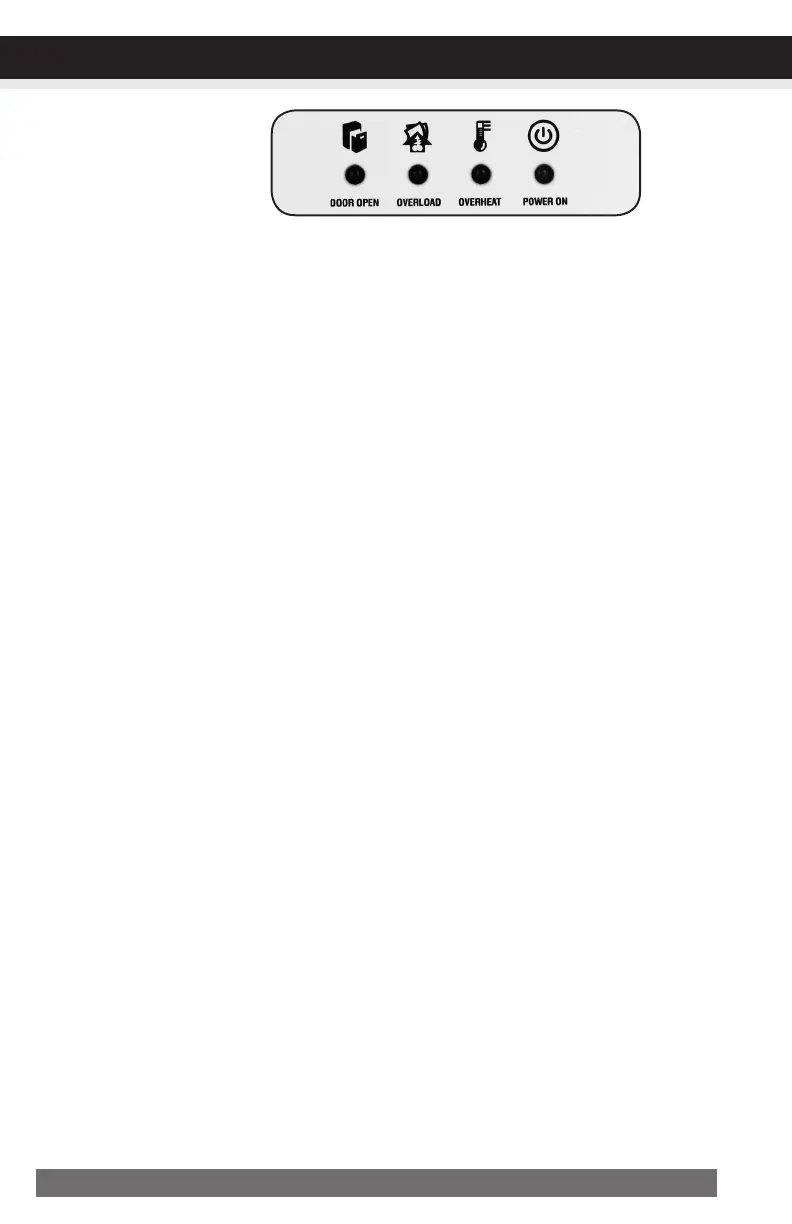
•PowerOn:
The Green LED light indicates the shredder is “On” and ready to operate when paper is inserted.
•Overheat:
The Red LED light indicates the shredder has shred continuously beyond the maximum running time
and overheating, the unit will automatically shut off. If this happens, switch the shredder Off for 45
minutes or longer before resuming normal operation.
•Overload:
The Red LED light indicates when too much paper is inserted. Use the "Reverse" mode to back up
and reduce number of sheets.
•DoorOpen:
The Red LED light indicates the shredder basket is not pushed in properly. Shredders with pull-out
wastebaskets feature a safety power cut off upon bin removal. Make sure the pull-out wastebasket is
properly set back into place and the green “Power On” indicator is lit.
LEDStatusIndicators:
Dooropen/Overload/Overheat/PowerOn


 To Next Page