68
Check box before the parameters you want to see, the Show selected icon on the
bottom of the screen will be available and turn blue. Tap Show selected and the selected
parameters will be displayed in a separate screen.
For more details, please refer to Live Data.
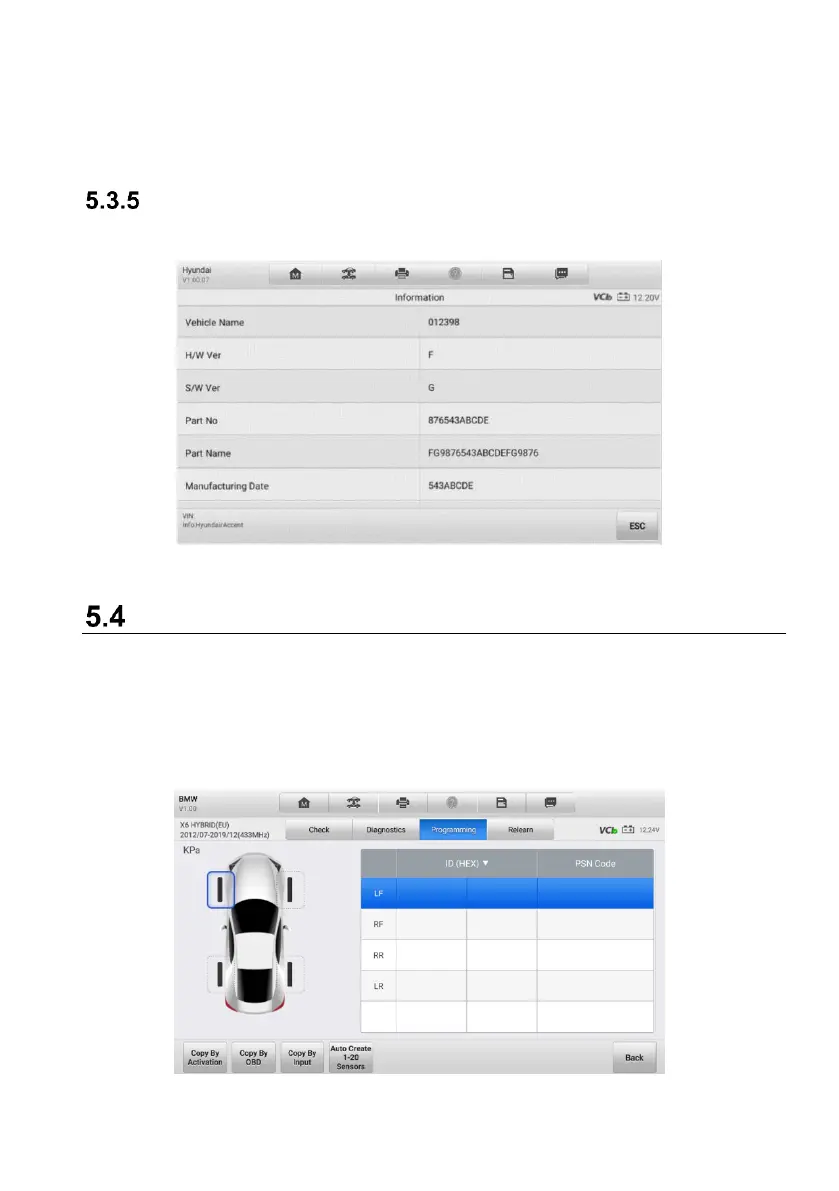
ECU Information
Tap this button, the information of the tested vehicle will be listed out on the screen.
Figure 5-23 ECU Information Screen
Programming Operations
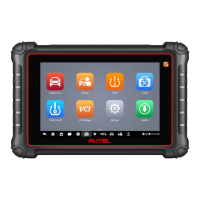
The programming function is used to program the sensor data to the MX-Sensor and
replace the faulty senor (poor battery life or malfunction). The MK906 Pro-TS is easy to
use with a proven efficiency and guaranteed accurate results.
There are four options available when programming MX-Sensor using the tablet: Copy
by Activation, Copy by OBD, Copy by Input, and Auto Create.
Figure 5-24 Programming Function Screen




 To Next Page