90
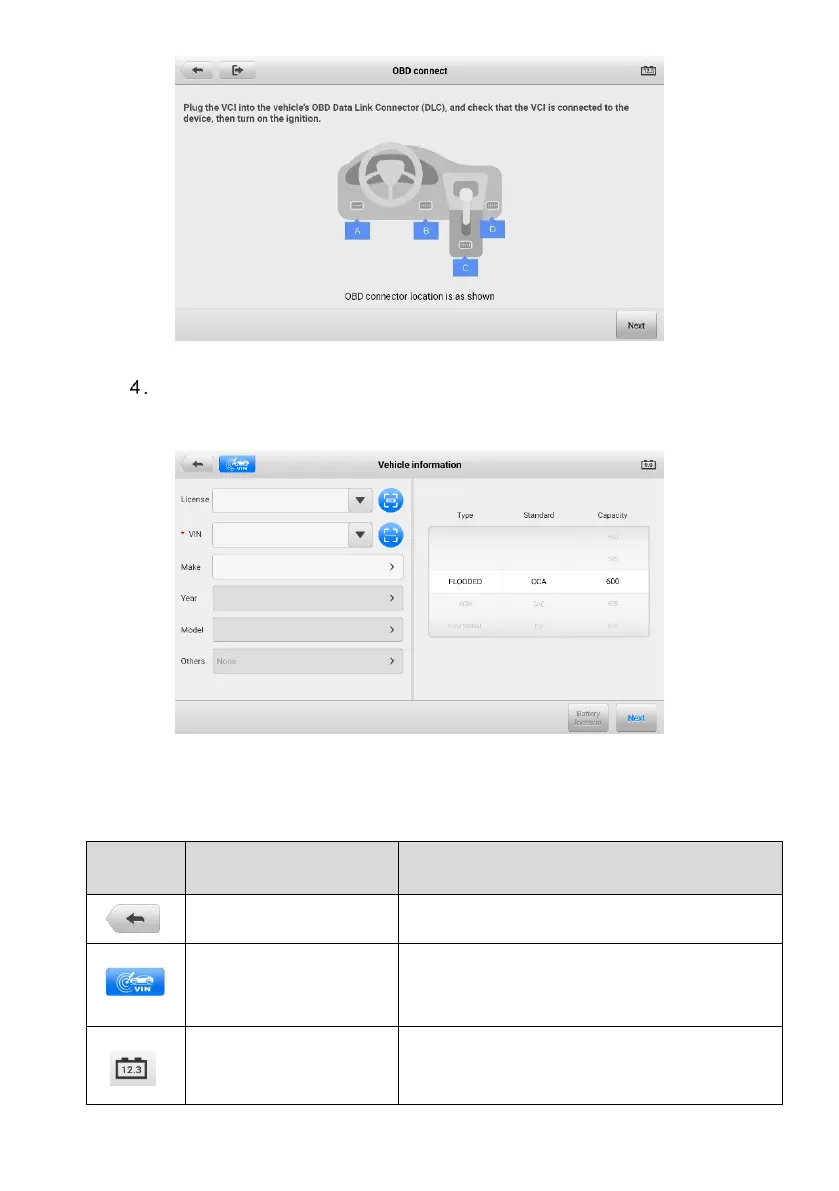
Figure 8-4 OBD Connect Screen
Confirm the vehicle information. The Vehicle information screen automatically
displays when vehicle communication is established. A Battery location
button will pop up from the bottom of the screen.
Figure 8-5 Vehicle Information Screen
Table 8-3 Upper Toolbar Buttons
Returns to the previous screen.
Opens a dropdown list; tap Auto Detect for
auto VIN detection; tap Manual Input to enter
VIN manually.
Displays the battery connection status. The
number on the icon indicates the real-time
voltage of the tested battery.



 To Next Page