36
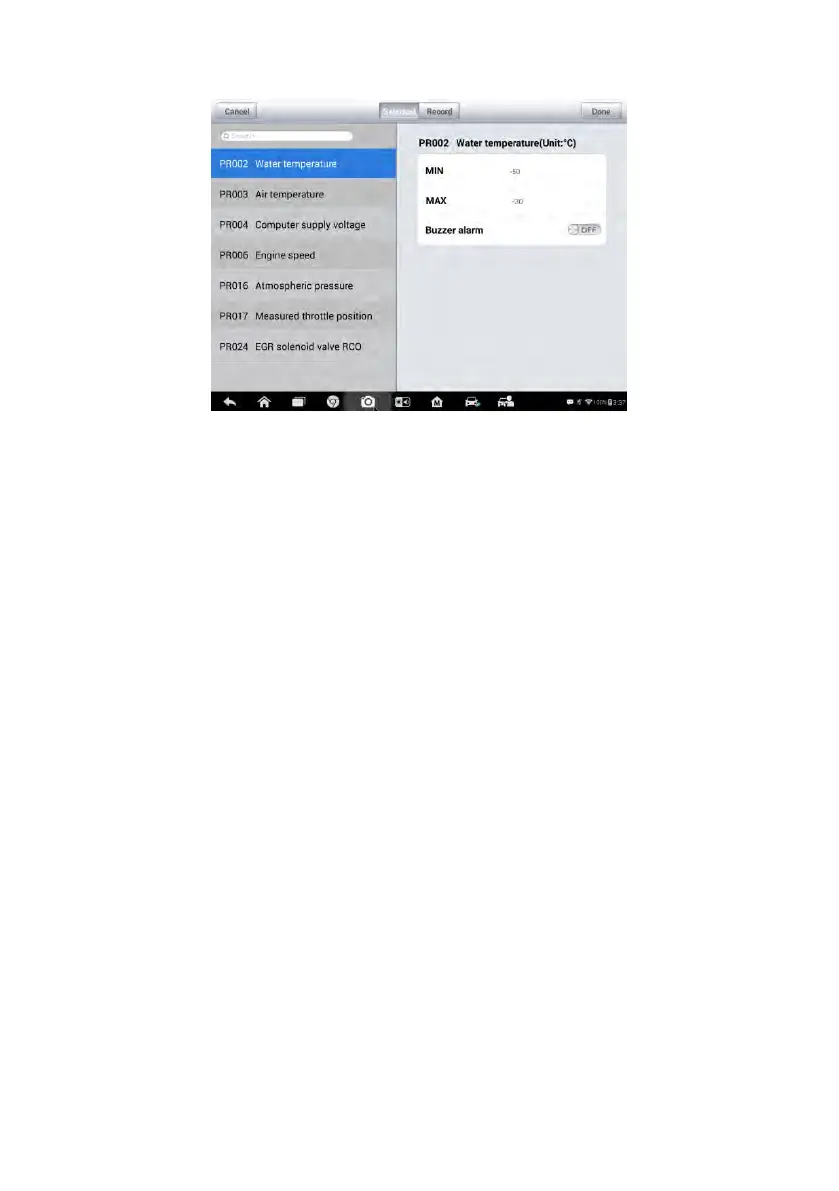
Figure 4-11 Sample Setting Mode in Live Data
There are four navigation buttons on top of the Setting mode screen.
Range Button – displays the configuration screen to set the
threshold values, an upper limit and a lower limit, for triggering the
buzzer alarm. This function is only applied to the Waveform Graph
display mode.
a) MIN – tap to display virtual keyboard and enter the required
lower limit value.
b) MAX – tap to display virtual keyboard and enter the required
upper limit value.
c) Buzzer Alarm – switch the alarm on and off. The alarm function
makes a beep sound as a reminder whenever the data reading
reaches the preset minimum or maximum point
To set threshold limits for the parameter values
1. Tap the Setting functional button at the bottom of the Live Data
screen.
2. Tap the Range navigation button.
3. Select a parameter item on the left column, or enter the item
name in the Search bar.
4. Tap on the right side of the MIN button, and enter the required
minimum value.













 To Next Page