40
suggested limit value, you must adjust the vehicle condition to meet the
requirement.
4. The last part displays the instruction of how to use the functional button at
the lower right corner of the screen to manipulate the teach-in operations.
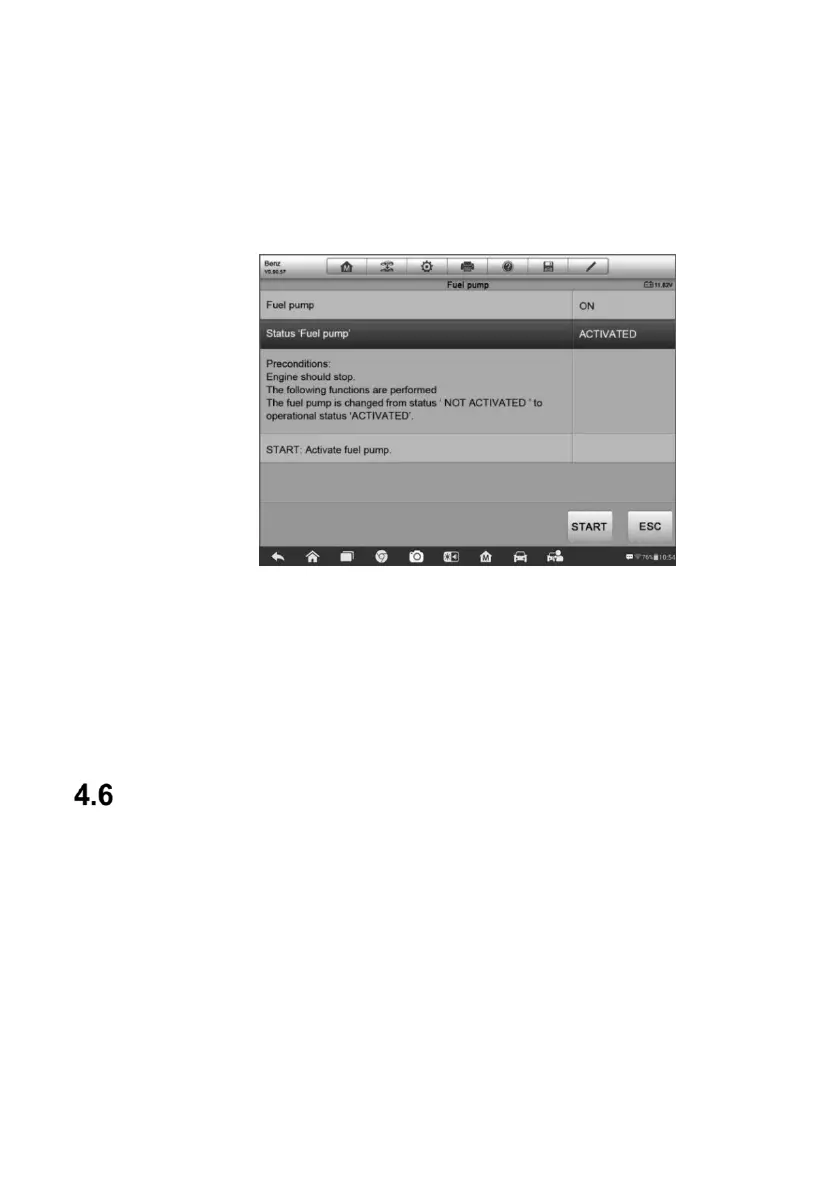
Figure 4-13 Sample Adaptation Operation Screen
Read the information carefully and check the vehicle condition accordingly,
when you are sure that the vehicle is ready to perform the adaptation, simply
follow the instruction provided to make appropriate selections. When the
operation is done, an execution status message such as Completed, Finished
or Successful, displays.
Tap the ESC button to exit the function.
Service
The Service section is specially designed to provide you with quick access to
the vehicle systems for various scheduled service and maintenance
performances. The typical service operation screen is a series of menu driven
executive commands. By following the on-screen instructions to select
appropriate execution options, enter correct values or data, and perform
necessary actions, the system will guide you through the complete
performance for various service operations.
The most commonly performed service functions include:
Oil Reset Service
TPMS Programming Service













 To Next Page