4
The power LED displays different colors in response to the following scenarios:
A. Green:
Illuminates green when the Display Tablet is charging and the
battery level is above 90%.
Illuminates green when the Display Tablet is powered on and the
battery level is above 15%.
B. Yellow:
Illuminates yellow when the Display Tablet is charging and the
battery level is below 90%.
C. Red:
Illuminates red when the Display Tablet is powered on and the
battery level is below 15%.
D. Blue:
Illuminates blue when the MaxiCOM system is fault.
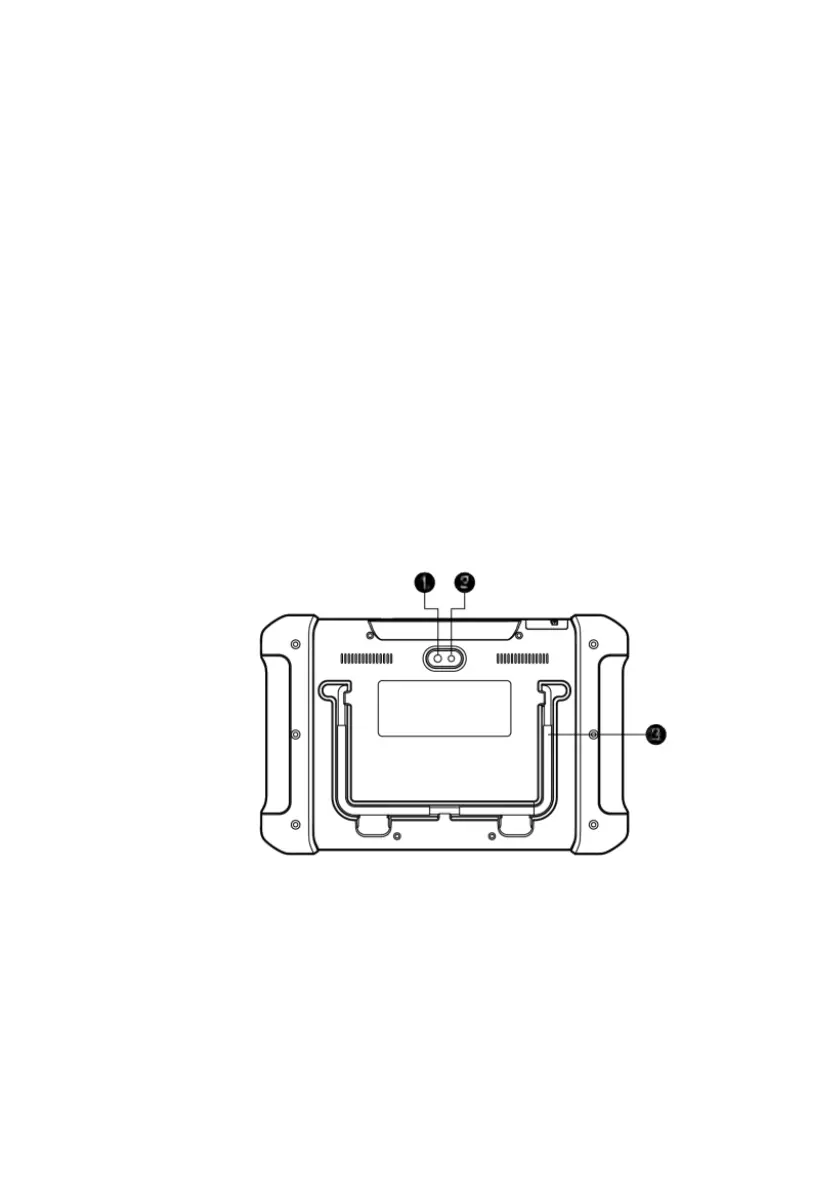
Figure 2-2 MaxiCOM MK906 Tablet Back View
1. Camera Lens
2. Camera Flash
3. Collapsible Stand – extends from the back to allow hands-free viewing of
the Display Tablet at a 30-degree angle.













 To Next Page