26
Auto Scan Application
Step1. To perform an auto scan,
Choose the vehicle manufacturer and then follow the instruction on each screen that
appears to find the Auto Scan function from the list.
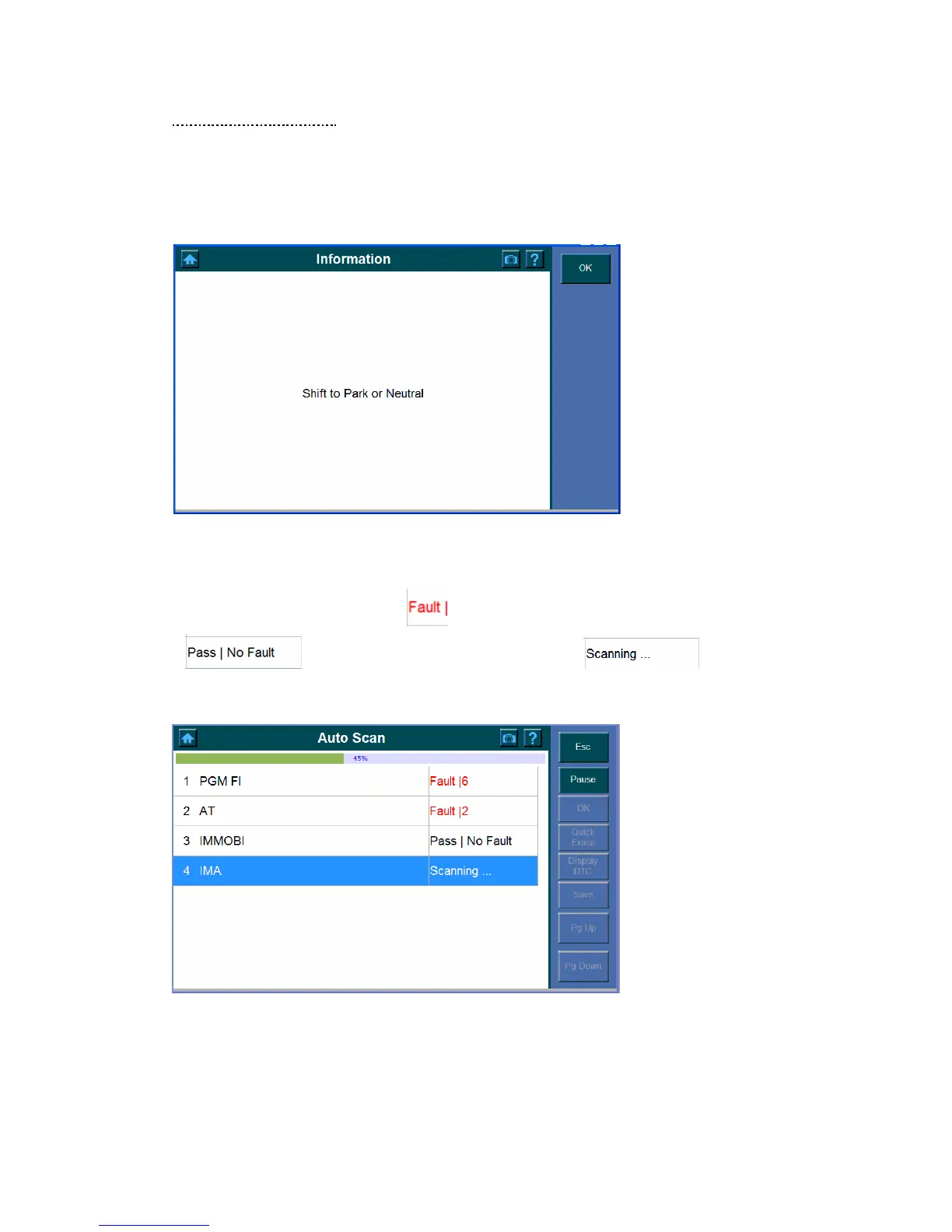
Step2. The following screens may shows,
Click OK to continue and the Auto Scan screen shows. The progress bar displays and
indicates the progress of the scanning. The list of items below is the report of the test
result for the ECU being tested.
indicates the Trouble Codes in your vehicle.
Indicates no fault found in the ECU and indicates
the ECU items which is being tested.
Note: Those which (control units) cannot be found in the ECU will not stay in
the summary report.
Step3. Do one of the followings to check the fault, or click the Esc button to exit and
enter to the Function menu (Refer to Function Menu on Page 24).















 To Next Page