73
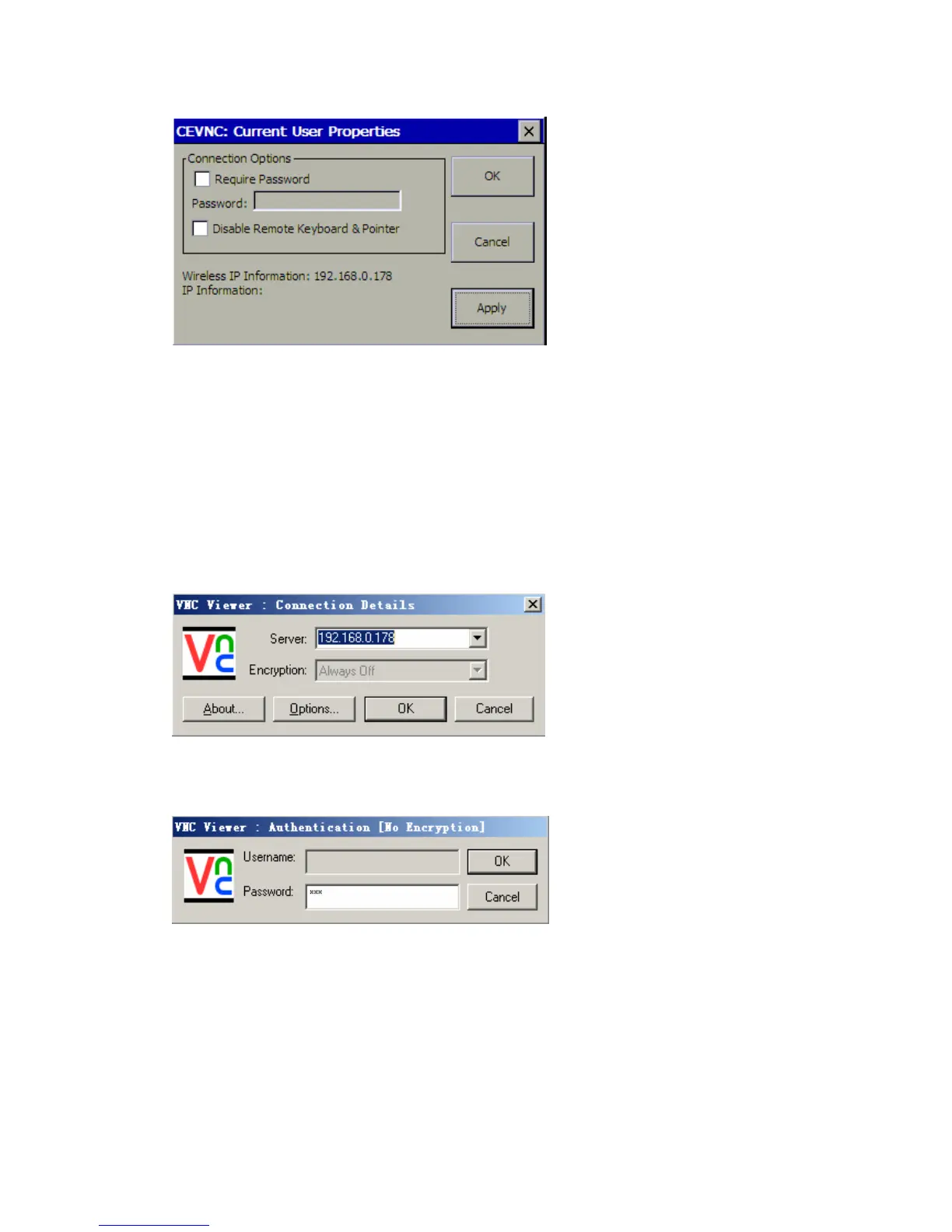
Click OK or Apply to make it effective.
Note: In order to make Remote Desk safer, you can click Require Password check
box, and enter a password as you like. If you just want to view the screen of
MaxiDAS 708 on a computer, but don’t want to let the computer control MaxiDAS
708, click Disable Remote Keyboard & Pointer check box. Pay attention to Wireless
IP Information downside. It will be useful on the next step.
3. Start up the client software of VNC Viewer in your computer. Fill in Server box with
Wireless IP Information you saw on the former step.
And then click OK.
Note: If you select Require Password on step 2, you will be required to enter the password
you set before in a password box.
4. The MaxiDAS 708 and computer are now synchronized.
About
The About shows the MaxiDAS version, Hardware, product ID and copyright information,
to view the About option,
1. Highlight the Setup from main menu from the left-hand panel, then click the About
button.















 To Next Page