9
Component Descriptions
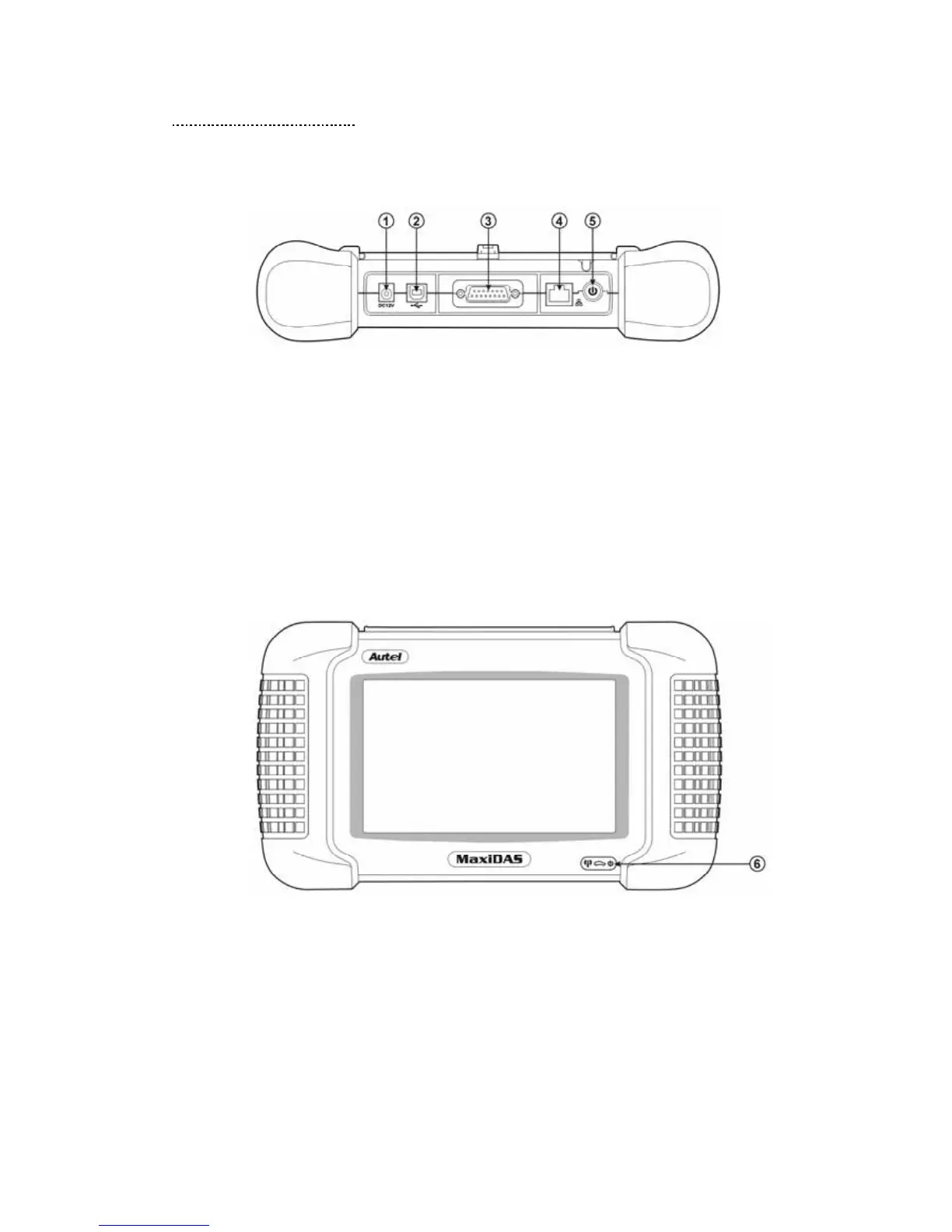
1. Main Connection Port Connect to the mains for power supply of updating, printing
data logging and internet access after disconnecting from the vehicle.
2. USB Connection Port Connect to the computer for updating and printing.
3. Diagnostic Socket Provides power supply and connection to the vehicle via
diagnostic cables and connectors supplied.
4. Internet Connection Port Provides internet access for updating, printing and data
logging and brings the internet resource of your choice at your fingertips.
5. ON/ OFF Button Powers on/ off the diagnostic tool.
Note: The scan tool will not turn off automatically; it stays on until you turn it off.
6. LED Indicators
The three light-emitting diodes indicate certain system conditions,
Communication LED – Green LED light in middle shows when the unit is in service.
Wireless LAN activity LED – Green LED light in the left shows when a wireless local
area network in enabled, flashes when data is being sent or received.
Main Power LED – Red LED light in the right shows when the unit is powered on.















 To Next Page