10
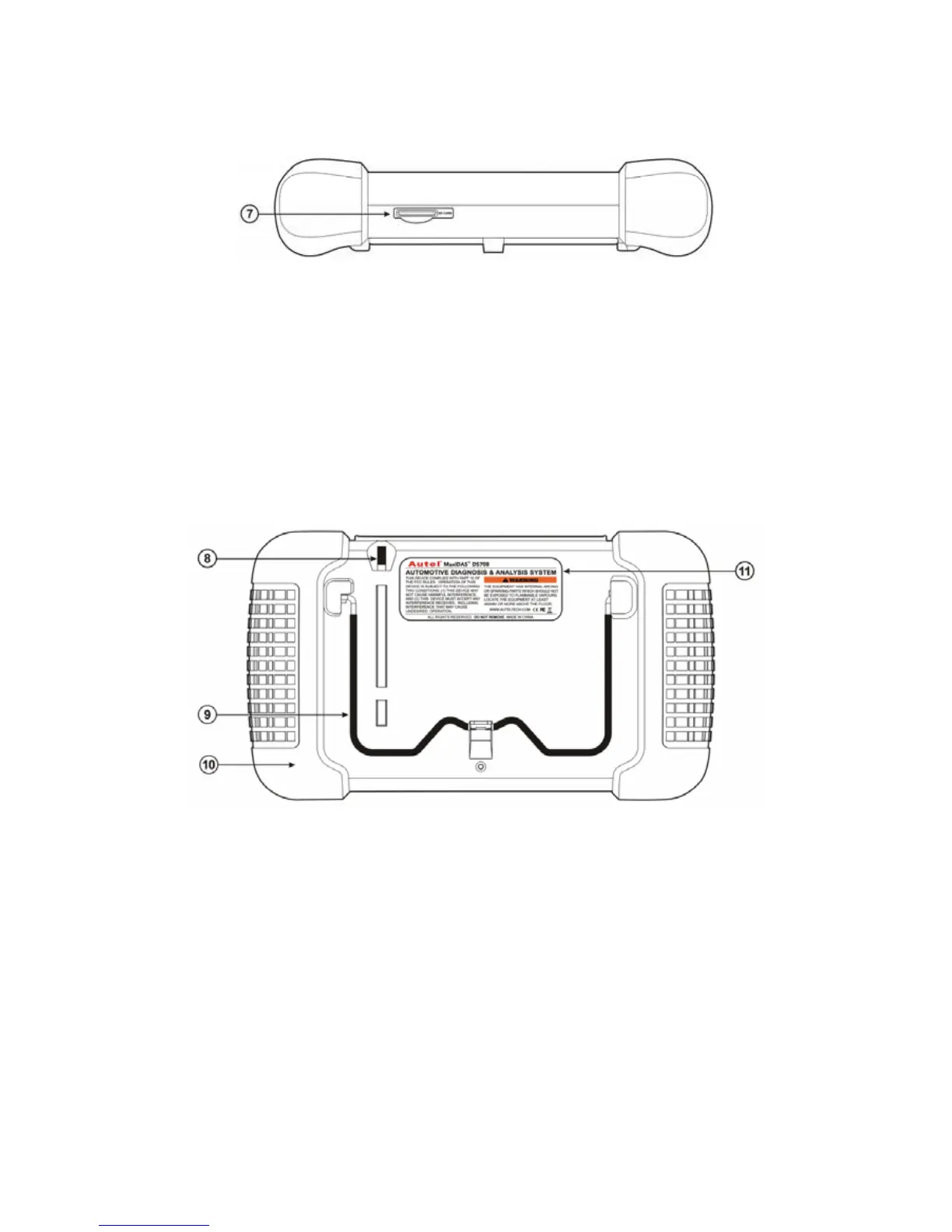
7. SD Card Slot
The standard SD (Secure Digital) card slot enables the unit to read and write data to
the card inserted in the slot. To use the software, insert the card with the metal
contacts facing down and pointing toward the MaxiDAS.
Note: Do not force media into the SD card slot. This may damage the SD card
slot. To Remove SD Card, press the card again and slot will pop out card
automatically.
8. Stylus The Stylus is used for typing and selecting. To calibrating Touch Screen, refer
to chapter 7 – 8, Calibrating Touch Screen.
9. Stand The built- in metal stand allows the unit to rest for hands-free viewing when
extended. It is attached to the back of the scan tool and can be secured to the back
again unit when not in use.
10. Handgrip The handgrips are attached to both sides of the MaxiDAS unit. Hold the
handgrips to stabilize the unit while using. The handgrip also eliminates the damage
when you drop the tool accidentally.
11. MaxiDAS 708 Label
The Label includes the notice and warning.
12. LCD Screen Displays the menus and data screens.















 To Next Page