144
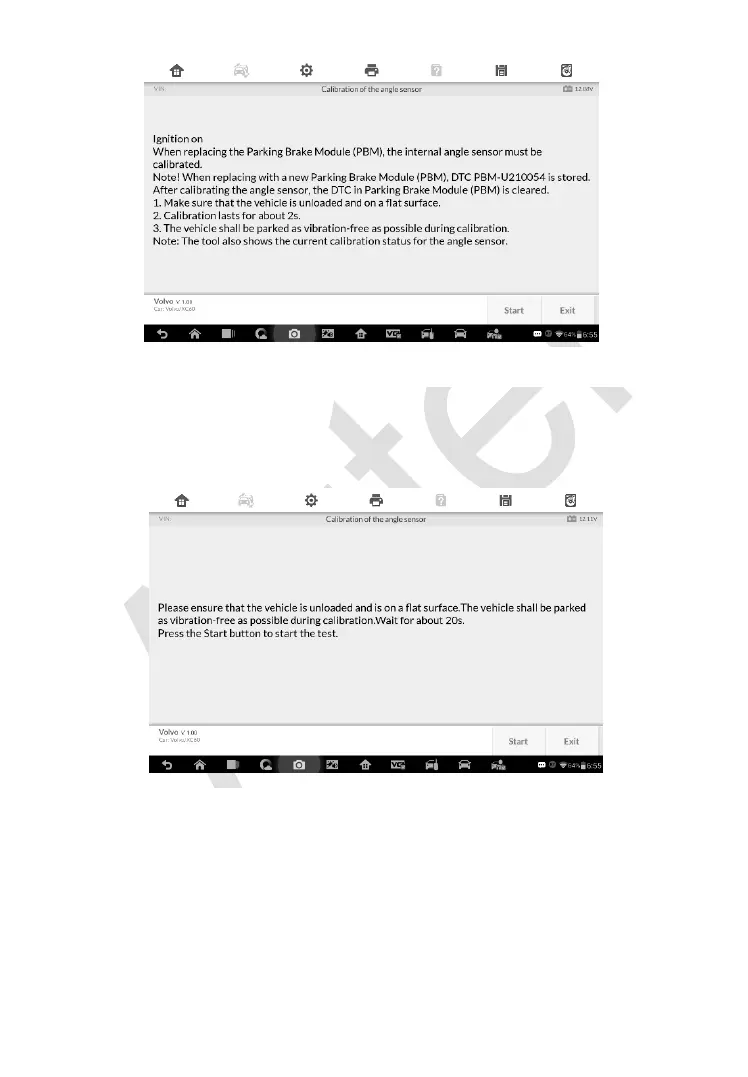
2) Ensure the vehicle is unloaded and is on a flat surface. The vehicle shall
be parked as vibration-free as possible during calibration. Wait for about
20s. Press Start to start the calibration.
3) Once the calibration is complete, the screen will display the message
“Calibration completed”. Tap OK to exit.
Figure 7-6 Sample Calibration of the Angle Sensor Screen 2
Figure 7-5 Sample Calibration of the Angle Sensor Screen 1














 To Next Page