OM-261 661 Page 8
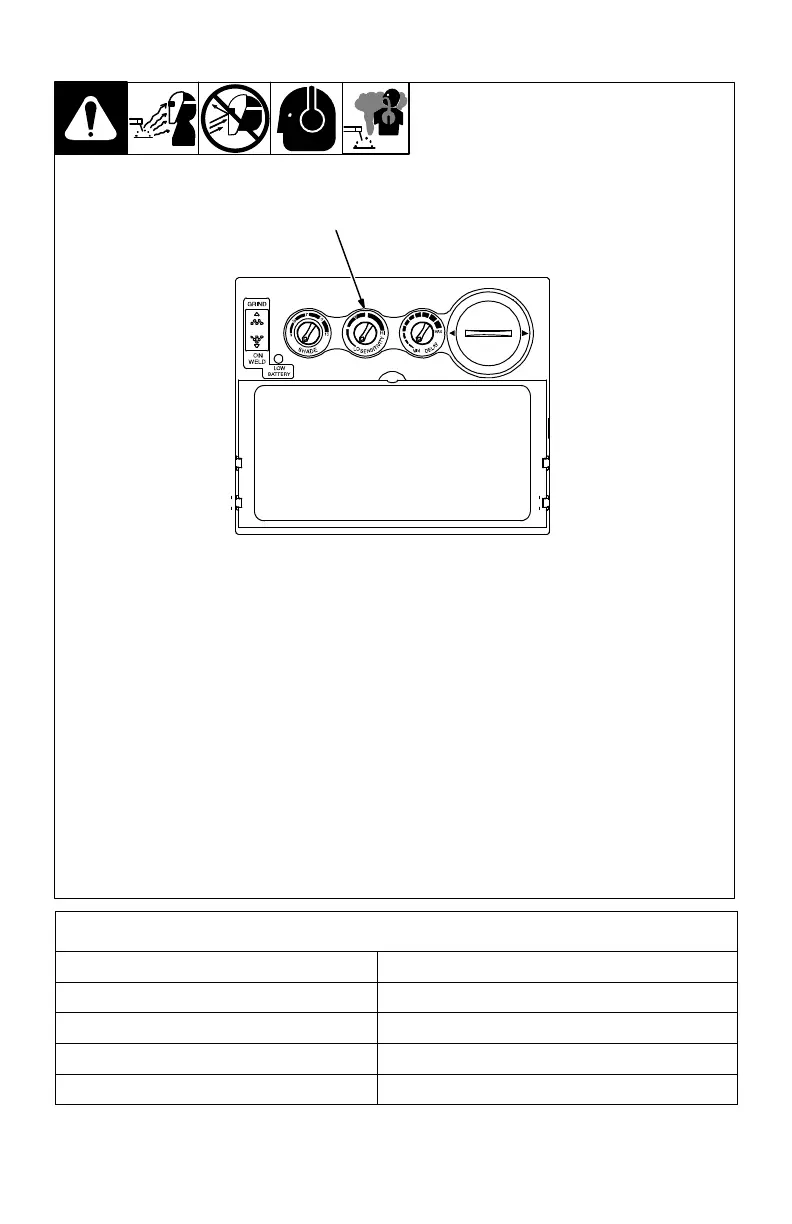
3-6. Sensitivity Control
1 Sensitivity Control
Use control to make the
lens more responsive to dif-
ferent light levels in various
welding processes. Use a
Mid-Range or 30−50%
sensitivity setting for
most applications.
It may be necessary to ad-
just helmet sensitivity to ac-
commodate different light-
ing conditions or if lens is
flashing On and Off. Adjust
helmet sensitivity as fol-
lows:
Adjust helmet sensitiv-
ity in lighting conditions
helmet will be used in.
Turn sensitivity control
to lowest setting.
Face the helmet in the
direction of use, expos-
ing it to the surrounding
light conditions.
Gradually turn sensitiv-
ity setting clockwise
until the lens darkens,
then turn sensitivity
control counterclock-
wise until slightly past
setting where lens
clears. Helmet is ready
for use. Slight readjust-
ment may be neces-
sary for certain ap-
plications or if lens is
flashing on and off.
1
Recommended Sensitivity Settings
Stick Electrode Mid-Range
Short Circuiting (MIG) Low/Mid-Range
Pulsed & Spray (MIG) Mid-Range
Gas Tungsten Arc (TIG) Mid/High-Range
Plasma Arc Cutting/Welding Low/Mid-Range



 To Next Page