OM-261 661 Page 6
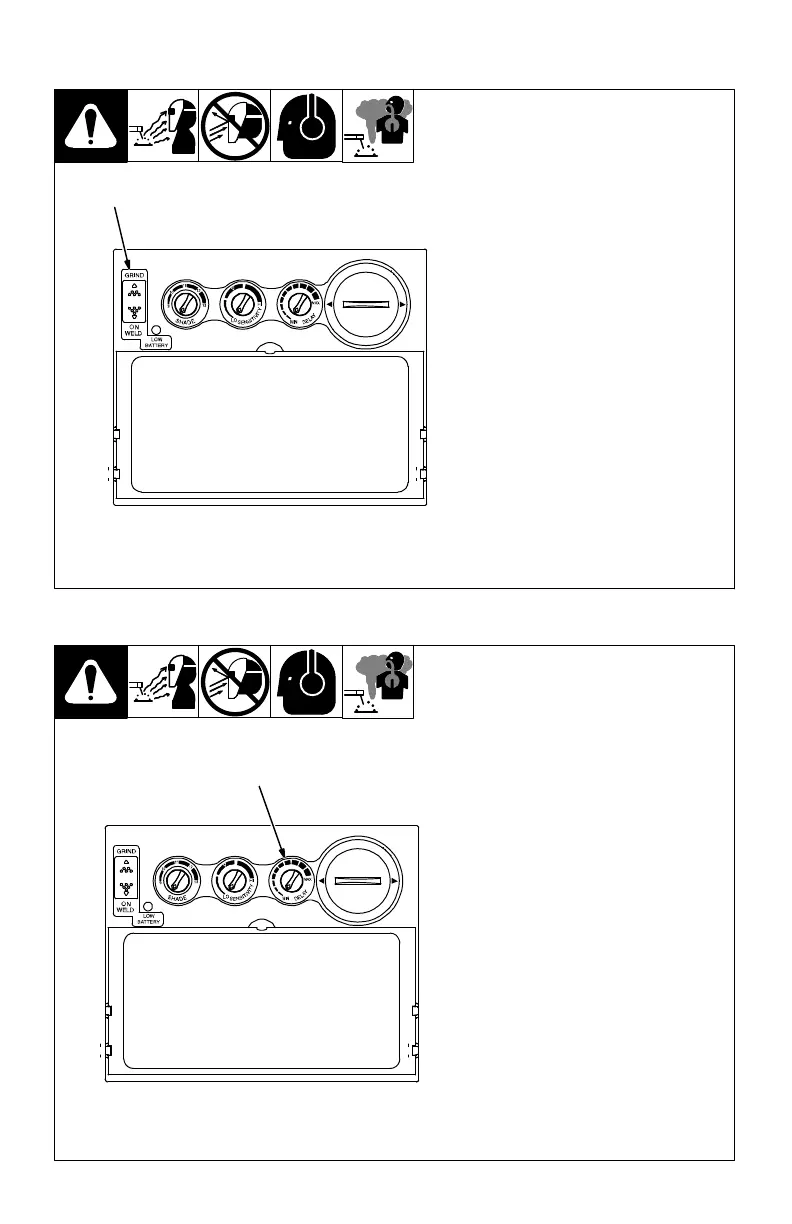
3-3. Weld On/Grind On Switch
1 Weld On/Grind On Switch
Do not weld in the Grind On mode;
the lens will not darken.
For Welding applications, move the
switch to the Weld On (up) position.
For grinding applications, move the
switch to the Grind On (down) posi-
tion.
1
3-4. Lens Delay Control
1 Lens Delay Control
The lens delay control is used to ad-
just the time for the lens to switch to
the clear state after welding.
The delay is particularly useful in
eliminating bright after-rays present
in higher amperage applications
where the molten puddle remains
bright momentarily after welding.
Lens delay adjusts from min (0.10
second) to max (1.0 second).
1



 To Next Page