C-8: Com Port 3 Setup (ASCII)
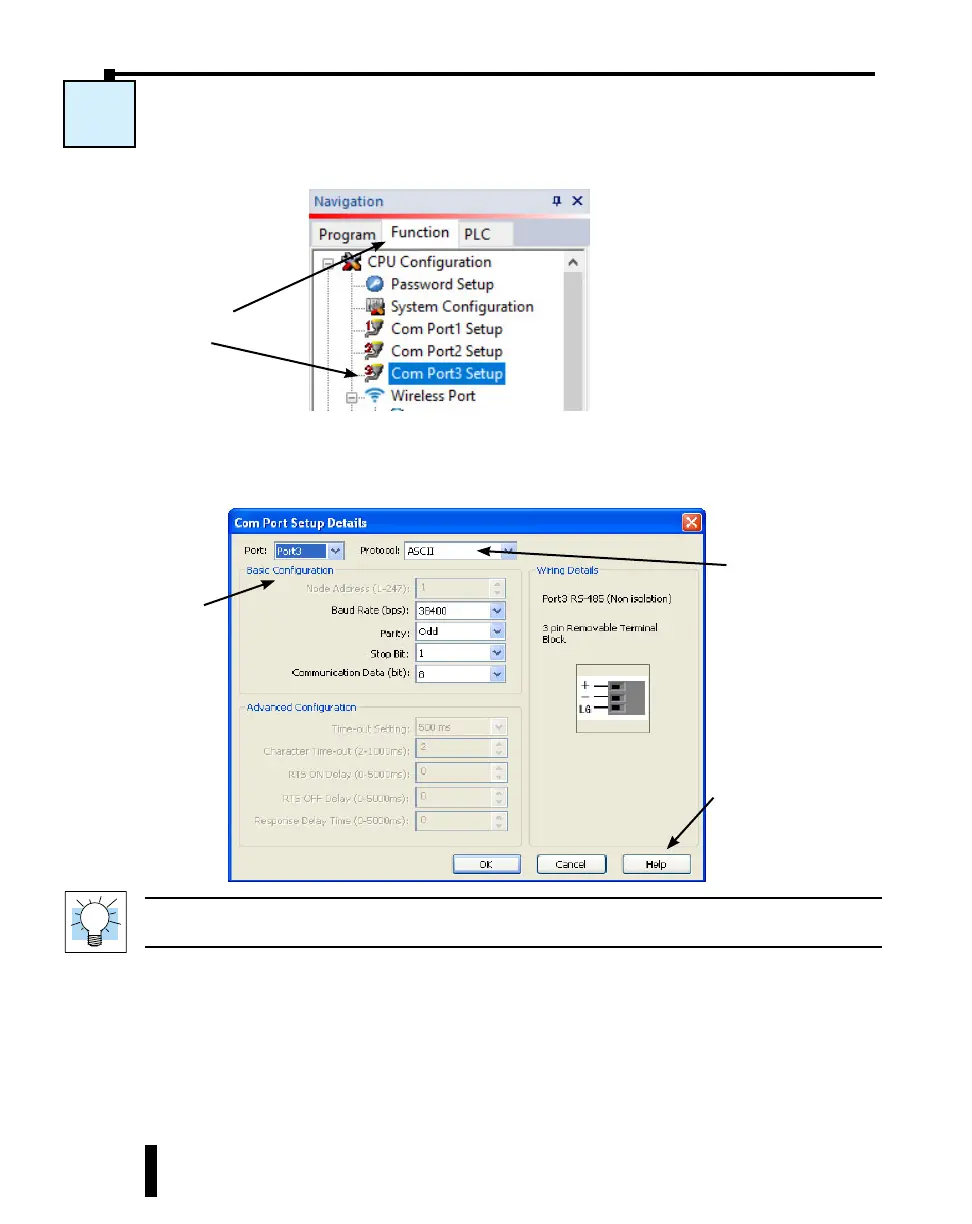
Select the Function tab located in the Navigation window and double click Com Port3 Setup
as shown below.
The Com Port Setup Details dialog box will come into view as shown below.
Find the Basic Configuration section in the dialog box and set up the parameters to match the
device connected to Port 3.
TIP: The communication port settings are saved in the project file. The project must be transferred to the
CLICK PLUS PLC in order for any port setting changes to take effect.
C-8
Set up the
parameters to match
the device connected
to Port 3.
Select ASCII.
Click the Help button
for Com Port Setup
Details online help.
Select the Function tab,
then double click Com
Port3 Setup.
CLICK PLUS PLC Hardware User Manual, 1st Edition, Rev. B – C2-USER-M
4-26
Chapter 4: PLC Communications



 To Next Page