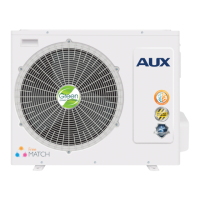
AUX DC Inverter Free Match 50HZ R32
111
6.5.Timing range: 0.5~24 hours.
press "
" or "
"button once, the timing time will increase or decrease by 0.5 hours.When the
timing time is more than 10 hours, press "
" or "
" button once, the timing time will increase
or decrease by1 hour.
6.6.Press "Timer" button or "ON / OFF" button to exit Timer ON or Timer OF F.
Function description (6)
The wire controller is for the general-purpose, specific functions fo the controller are subject
to the functions of your air conditioning unit.
Note: In the interface of function setting, press any button such as Timer, Fan, Swing, Mode,
ON/OFF, and Comfort to exit the interface and conventional operation interface will display. If
there is no operation for 10S, you can exit the interface.
Enter function: Press function button to enter function selection interface , press "
" or "
"button to select a function, and the corresponding icon will lash, press “function” button again to
confirm the function.
Cancel function: Press function button to enter function selection interface, press "
" or "
"button to select a function, and the corresponding icon will lash, press “function” button again to
cancel the function.


 To Next Page
 Loading...