Optional Equipment (for qualified installers only) 55
© Travis Industries 4101110 100-01256_000
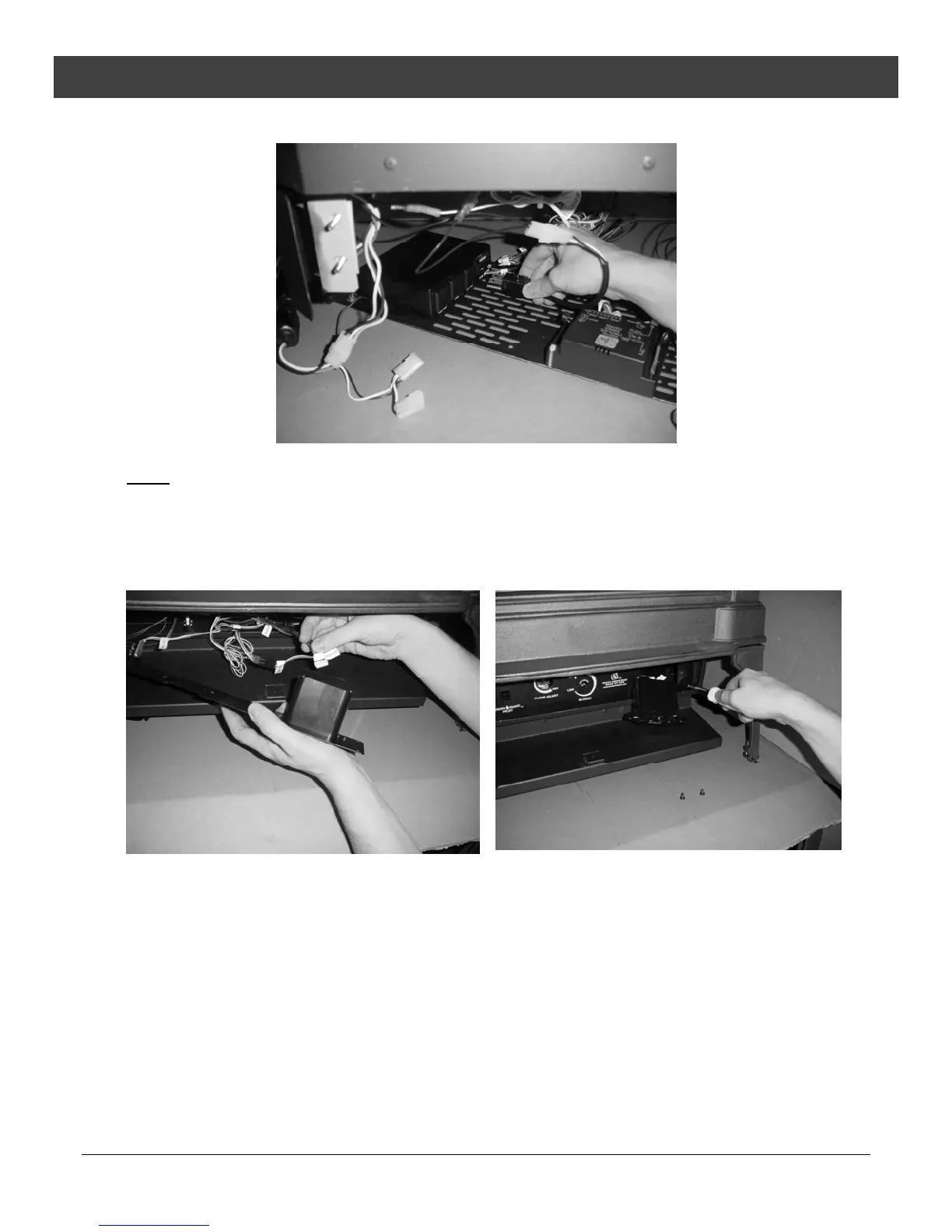
18 Attach the accent light power lead to the fan controller in the “AUX OUT” receptacle (see Figure 28).
Figure 28
NOTE: If using the optional fan, you will want to disconnect its power lead and connect it to the extra
power lead included with this kit, then connect it to the “FAN” receptacle on the fan controller.
See the blower installation instructions for details.
19 Slide the receiver through the control panel and attach the “RECEIVER” connector to the receiver
(see Figure 29). Attach the control panel to the stove using the four screws removed earlier (see
Figure 30).
Figure 29
Figure 30



 To Next Page