2
Volume
Wheel
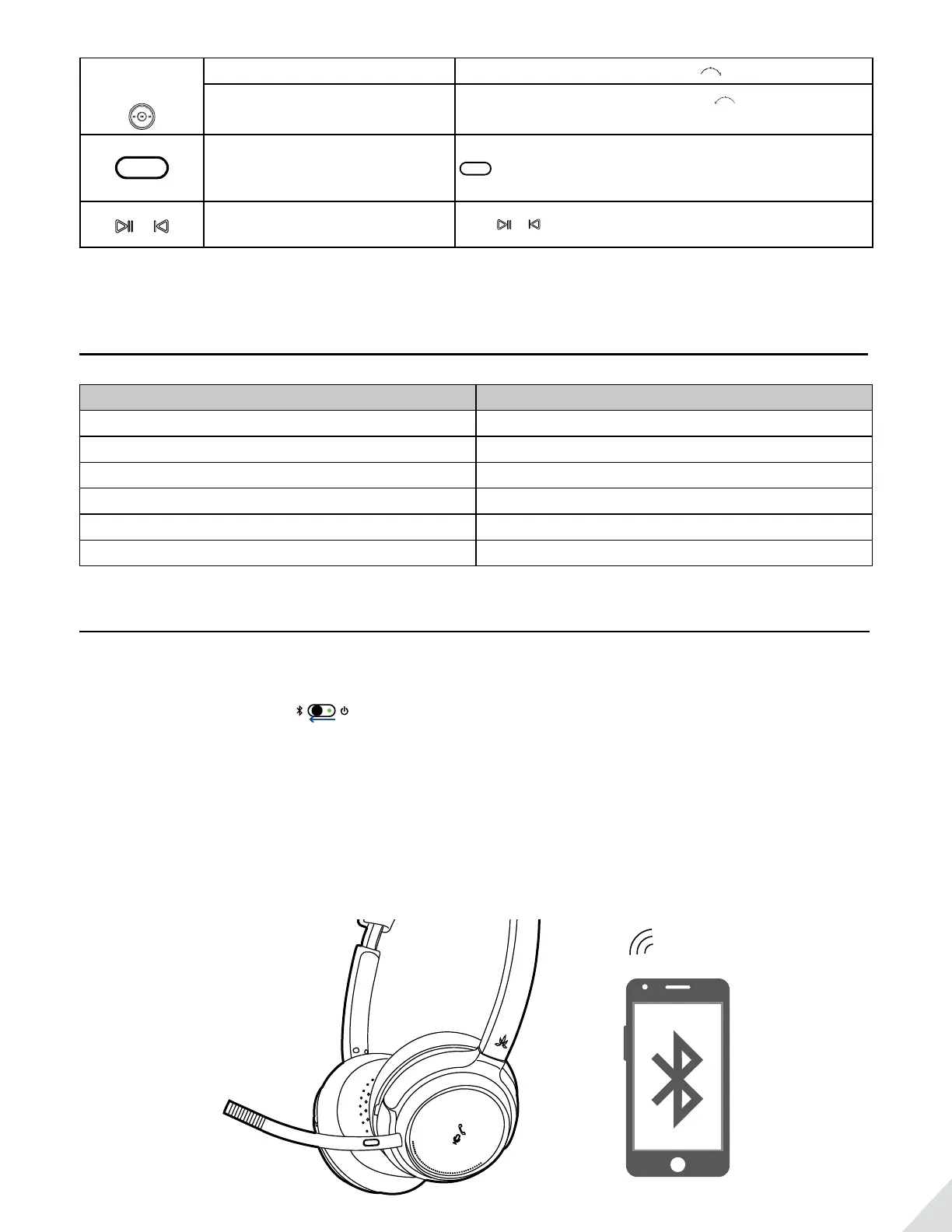
Volume up Rotate the volume wheel forward to volume up
Volume down
Rotate the volume wheel backward to volume
down
MUTE
Microphone
Mute ON/OFF
While on an active call with boom mic, Press and hold
MUTE
1s to activate/close Microphone Mute function.
You’ll hear “Microphone Mute ON/OFF”
&
Voice Prompt
ON/OFF
Hold & till you hear “Voice Prompt ON/OFF”
Note: Functionality varies by application.
Status of LED indicators
Working Status LED indicator
Paring Mode Blinks BLUE & RED alternately
Reconnecting Blinks BLUE once every 1 second
Disconnected Blinks BLUE once every 10 seconds
Microphone Mute ON Remains RED
Connected Blinks BLUE once every 5 seconds
Low battery Blinks RED three times every 10 seconds
Connect to a Bluetooth device
Enter Headphones into Pairing Mode:
Slide the power switch to left and hold for 3 seconds. You’ll hear “Pairing” and the LED indicator blinks
RED and BLUE alternately.
Pair to mobile device
• Set the headphones into Pairing Mode as above.
• Activate Bluetooth on your phone and set it to search for new devices.
• Select “Avantree AH6B”, once successfully paired you’ll hear “connected”.


 To Next Page