10
EN
AUX
OPT
User Manual
OASIS PLUS
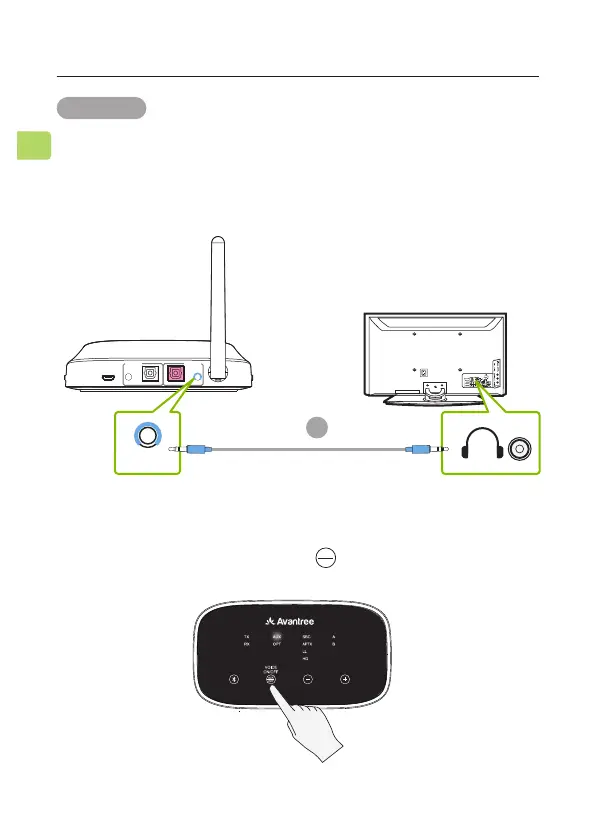
OPTION 2 AUX 3.5mm port
STEP 1
Plug the provided AUX 3.5mm audio cable into the TV’s AUX
3.5mm output port, then plug the other end into the transmit-
ter’s AUX 3.5mm port in the “TX INPUT FROM TV” section.
DC IN AUX AUX
OPTICAL OPTICAL
RX Output
To Speaker
TX Input
From TV
TV
AUX
STEP 2
Check the transmitter’s audio signal indicators and ensure that
“AUX” is lit up. If it isn’t, press the button once.
C



 To Next Page