11
EN
User Manual
OASIS PLUS
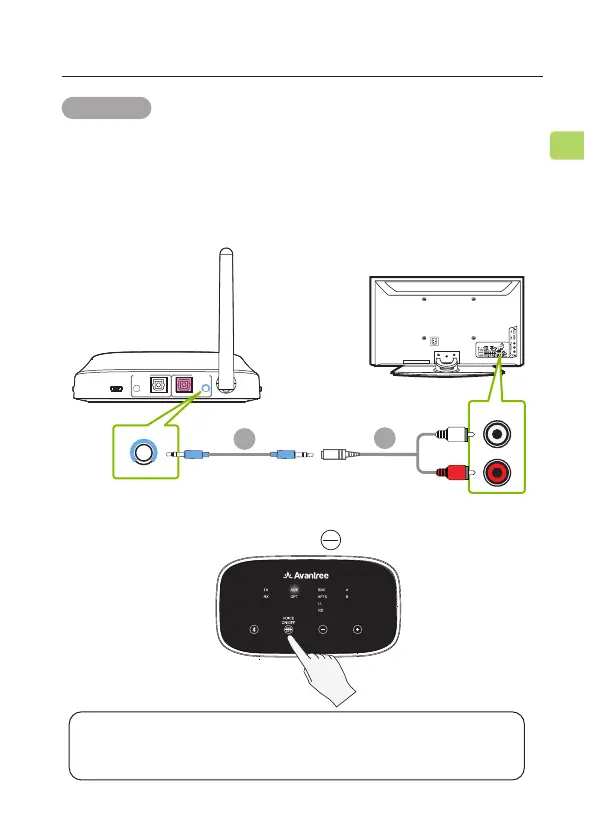
STEP 2
Check the transmitter’s audio signal indicators and ensure that
“AUX” is lit up. If it isn’t, press the button once.
AUX
OPT
NOTE: Double check to ensure that optical / RCA cables are plugged
into the TV’s audio OUT ports and not the AUDIO IN / COMPONENT
IN ports.
DC IN AUX AUX
OPTICAL OPTICAL
RX Output
To Speaker
TX Input
From TV
AUDIO OUT
TV
AUX
STEP 1
Plug the red & white RCA connectors into the TV’s “AUDIO
OUT” ports, then use the provided RCA to AUX adapter to
plug the other end into the transmitter’s AUX 3.5mm port in
the “TX INPUT FROM TV” section.
OPTION 3 RCA port
C
D



 To Next Page