EN
18
User Manual
OASIS PLUS
STEP 1
Switch to the “RX” position.
STEP 2
Using the provided power cable, plug the Oasis Plus into
either your speaker’s USB port or a wall outlet via 5V/500-
mA-2A rated USB adapter (any phone charger should work.
Please contact support@avantree.com if you'd like us to send
you a free adapter)
STEP 3
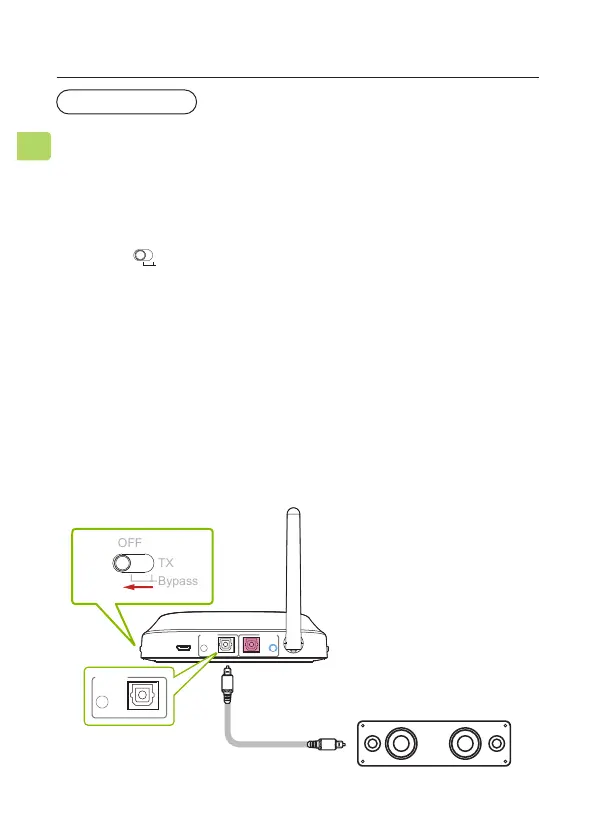
Connect to your speaker / soundbar via the included AUX,
RCA, or OPT cables. Plug the other end into the transmitter’s
“RX OUTPUT TO SPEAKER” section.
The Oasis Plus’s receiver (RX) mode allows you to receive audio
from a Bluetooth enabled source (such as a phone) and output
it through a non Bluetooth compatible speaker or similar.
Use as Wireless Audio Receiver
RECEIVER MODE
Sound System
DC IN AUX AUX
OPTICAL OPTICAL
RX Output
To Speaker
TX Input
From TV
AUX
OPTICAL
RX Output
To Speaker
RX
RX
Bypass
TX
OFF



 To Next Page