6
EN
Button Functions
User Manual
OASIS PLUS
1
2
5
3
4
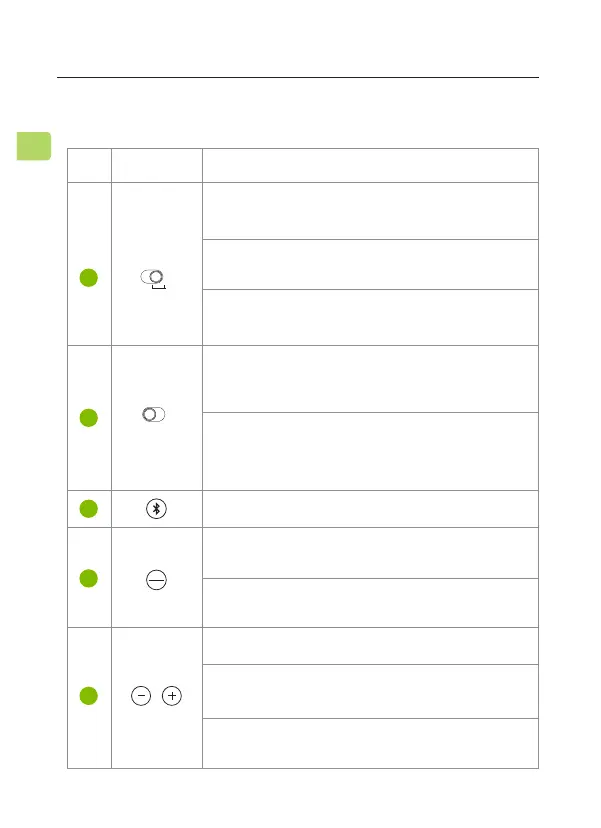
Switch to “TX” position to turn the Oasis Plus on
& place it into transmitter mode
Switch to “RX” position to turn the Oasis Plus on
& place it into receiver mode
Switch to "OFF" or "TX" position to bypass
audio to speakers
AUX
OPT
Switch to “LL PRIORITY” position to enter low
latency mode (only with aptX-LL supported
devices)
Switch to “HD PRIORITY” position to enter
high-denition audio mode (only with aptX-HD
supported devices)
Press & hold for 2 seconds to enter pairing mode
Press once to switch between AUX / RCA and
OPT audio inputs
Press & hold for 7 seconds to turn voice prompt
ON / OFF
Press once to adjust volume
Press & hold both buttons for 7 seconds to clear
pairing history
Press & hold for 3 seconds to replay / skip tracks
(RX mode only)
HD Priority
LL Priority
RX
Bypass
TX
OFF
No. Button Functions



 To Next Page