Troubleshooting
Below are some of the most common questions people have during setup. You can nd
a full FAQ list at avantree.com/support/opera, or contact support@avantree.com
directly for additional assistance.
Why don’t I get sound when watching Netix / Prime Video?
You may need to change your TV’s audio settings an additional time when watching
Netix / Prime Video. This can be due to the movie being in Dolby Digital Surround
Sound format, or because you’re watching with a separate streaming device / cable box.
While Netix / Prime Video is open, go into your TV’s audio settings and make sure that
the audio output is set to “PCM / STEREO” and that “DOLBY” is turned OFF.
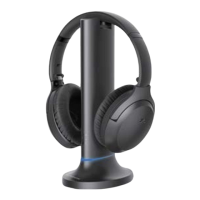
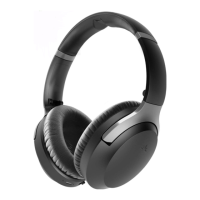
How do I use the headphones independently with another Bluetooth device?
STEP 1: Turn OFF or unplug the transmitter.
STEP 2: On your headphones, slide and hold the power switch to the "PAIR" position for 5
seconds to enter pairing mode.
STEP 3: Turn on your audio source's Bluetooth and select "Avantree AS90C" from the
Bluetooth menu.
I have a Samsung / LG TV. Why are my Avantree headphones failing to reconnect to
the transmitter?
Samsung / LG smart TVs tend to pair with any Bluetooth devices it can nd, which blocks
the Avantree headphones from reconnecting to its transmitter. Try following the steps
below in order to x this:
DENY the Device - If a popup appears on your TV asking you to Allow or Deny / Block
the device to connect to the TV, you MUST DENY / BLOCK the device from connecting.
REMOVE the Device - If your device is already paired with the TV, you'll need to remove
the device in your TV's settings: SETTINGS > GENERAL > EXTERNAL DEVICE MANAGER >
DEVICE CONNECTION MANAGER > DEVICE LIST > EDIT > Select all Avantree devices >
DELETE. Please note that the routing may dier based on your TV's brand / model.
Turn OFF the TV - Physically turn your TV OFF or pull the plug (the remote control does
NOT turn the TV o; it places it into standby mode which still allows the TV to connect to
devices).
Other Tips:
If your TV's HDMI ARC port is in use, your optical audio output port might not work. Try
connecting the transmitter via RCA / AUX or unplugging the HDMI ARC.
OPERA
Quick Start Guide
16
EN
Ticket Support avantree.com/submit-a-ticket
Support Email support@avantree.com
Videos avantree.com/opera/video
Live Chat avantree.com (18/h weekday)
Faqs avantree.com/support/opera
USA / CA +1800 232 2078 (US Toll Free, 9am-6pm PST, Mon-Fri )
UK +44 20 8068 2023 (9am-6pm, GMT, Mon-Sat)
DE +49 32221097297 (11am-9pm, CET, Mon-Sat )
FR + 33 176340312 (11am-9pm, CET, Mon-Sat )
IT +39 06 9480 3330 (9am-6pm, CET, Mon-Sat )
ES + 34 931786261 (9am-6pm, CET, Mon-Sat )
AU + 61 2 8310 9897 (11am-7pm, Sydney Time, Mon-Fri)
Product Registration avantree.com/product-registration
Contact Us
OPERA
Quick Start Guide
17
EN



 To Next Page