SHIFT
User Manual
8
EN
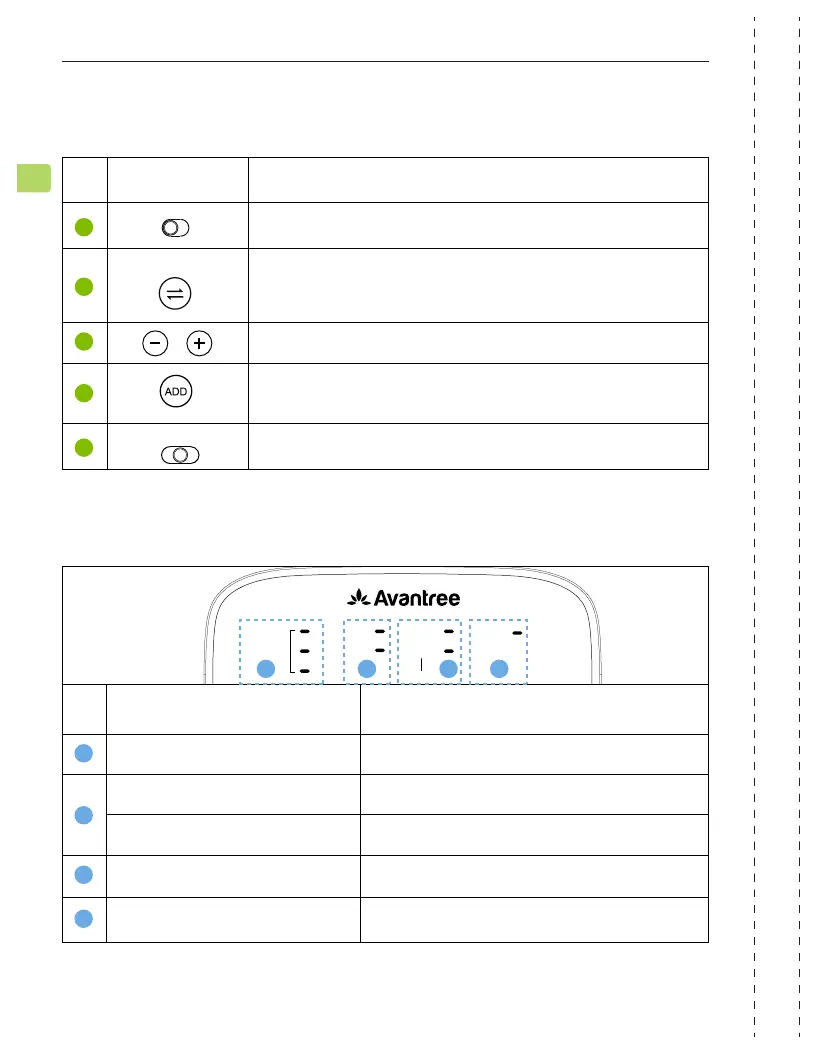
No. Indicator Status
B
B
C
C
D
D E
E
Blue / green / white light Current channel - blue / green / white
Solid white light Valid audio signal
Flashing white light Invalid audio signal
Solid white light Volume mode - boosted / normal
Flashing white light
Pairing
5
6
7
8
9
Switch to turn the transmitter on / o
Press once to swap between 3 channels
Press once to adjust volume
Press & hold for 5 seconds to add more Shift-Extra
headphones
Switch between normal and boosted volume modes
ON OFF
Channel Select
Normal
Volume Setting
Boost
No. Button Function
Button Functions
ADD
DEVICE
OPT
AUX
CHANNEL SELECT
CHANNEL
ADD
BOOST
NORMAL
VOLUME
LED Indicators


 To Next Page