Power Transmitter 2 on by sliding the switch to the ON
position. The channel indicator should light up GREEN. If not, tap the
button to switch to the green channel.
ON OFF
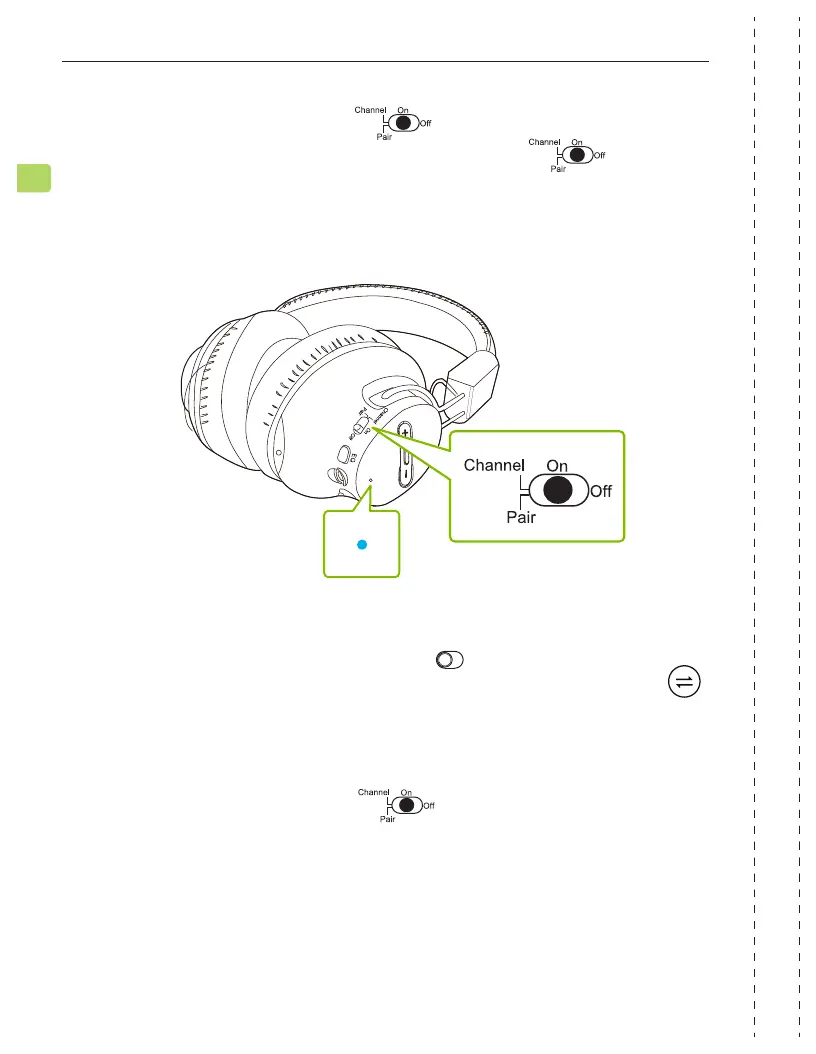
On your headphones, slide the switch to the ON position. The
channel indicator should ash BLUE. If not, slide the switch to
the CHANNEL position once or twice to switch to the blue channel.
Once both the headphones & transmitter are on the same channel, they
will automatically connect, and both channel indicators will turn solid
BLUE.
STEP 2
STEP 3
Slide one or both headphones’ switch to the CHANNEL position
once to swap to the GREEN channel. The headphones will automatically
connect to Transmitter 2, and both channel indicators will turn solid
GREEN.
For subsequent use, turn on all devices, keep them close to each other,
and swap them to the same channel. They will automatically connect.
STEP 4
12
EN
SHIFT
User Manual


 To Next Page