Display Menu Mode
Issue 1 July 2001
3-3
above. Chapter 5, “
IP Telephone Features
,” provides information on these
alternative softkey features.
Navigating Display Menus
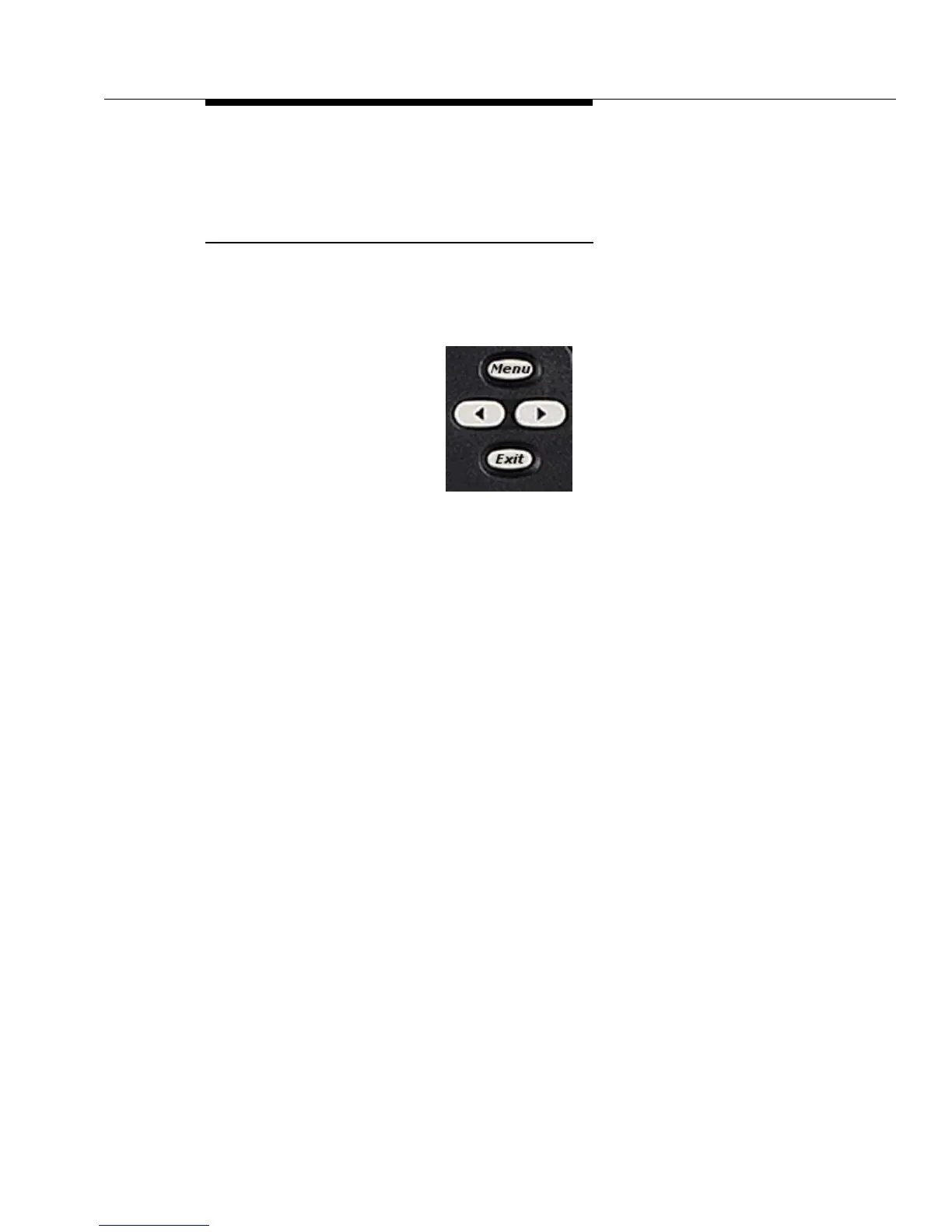
The illustration below shows the Display Control buttons, located to the right of the
Display screen.
To move forward and back between each feature menu, use the
Arrow
buttons
below the
Menu
button. When the feature you want appears, press the softkey
below that feature to select it.
Pressing the
Exit
button typically allows you to exit certain features or selections,
terminates the function you were working with and returns the display to Normal
(call-handling) mode. Some features, however, have a different termination
procedure, so refer to each specific feature (as described in Chapter 5) for details.


 To Next Page