EasyManua.ls Logo

Avaya G600 - User Manual

Avaya G600
22 pages
Print Icon
To Next Page IconTo Next Page
Loading...
Quick Start
for Hardware Migration
Avaya S8400 Media Server in an
Avaya CMC1 or G600 Media
Gateway
03-300706
Issue 1
February 2006
700385271

Questions and Answers

  • R
    Robert WoodsSep 6, 2025
    What to do if there is no power to Avaya G600?
    • A
      Amy RodriguezSep 6, 2025
      If there is no power to the Avaya Server, ensure the circuit pack is properly seated. Also, check that the media gateway is plugged into the UPS and that the UPS has power.
  • T
    Troy MartinezAug 25, 2025
    How to access Avaya Installation Wizard?
    • G
      gallagherreneeAug 25, 2025
      To access the Avaya Installation Wizard, make sure you are plugged into the Services port and are using SSH instead of telnet. Verify that you are using the correct IP address, which is 192.11.13.6. Also, confirm that you are using the correct login and password. Finally, ensure that the NIC on your laptop is configured correctly.
  • E
    Evan MyersAug 25, 2025
    How to access the SIPI for static addressing on Avaya?
    • O
      Oscar DelgadoAug 26, 2025
      To access the SIPI for static addressing, ensure that you are plugged into the Services (top) port on the SIPI. Also, clear the ARP cache on the Services laptop computer by typing arp -d 192.11.13.6 in an MS-DOS command window and pressing Enter.
  • C
    Christopher SullivanSep 14, 2025
    How to fix Avaya G600 when I cannot access the Avaya Installation Wizard?
    • S
      Stephanie TaylorSep 14, 2025
      If you cannot access the Avaya Installation Wizard, ensure that you are plugged into the Services port and that you are using the correct IP address, 192.11.13.6. Also, ensure that you are using the correct login and password, and that the NIC on the laptop is configured correctly.
  • W
    williamsmatthewSep 23, 2025
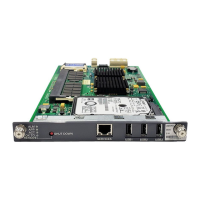
    Why does my Avaya G600 generate an alarm when first connect to SIPI?
    • C
      Christian RobertsSep 23, 2025
      If the system generates an alarm when first connect to SIPI, the SIPI does not have the current firmware. Upgrade the firmware.
  • S
    Shannon AndersonSep 10, 2025
    Why is Avaya Server LED display on SIPI flashing?
    • D
      Daniel ThompsonSep 12, 2025
      If the LED display on the SIPI is flashing on the Avaya Server, it indicates that the SIPI LED has not had an IP address assigned to it (static IP addressing).
  • K
    Kimberly ManningSep 2, 2025
    How to fix a SIPI alarm when first connecting to the Avaya system?
    • A
      Alex DavenportSep 2, 2025
      If the system generates an alarm when you first connect to the SIPI, it means the SIPI does not have the current firmware. You should upgrade the firmware.
  • B
    Bill ShermanSep 2, 2025
    What does it mean when the 'V' on the Avaya SIPI LED is not filled in?
    • J
      Jennifer CollinsSep 2, 2025
      If the 'V' on the SIPI LED is not filled in, it indicates that an IP address is not assigned to the SIPI, or the SIPI is not administered.
  • A
    Andrew ReidSep 18, 2025
    What to do if Avaya G600 Server has no power to the UPS?
    • P
      Patrick McdowellSep 19, 2025
      If there is no power to the UPS, ensure that the UPS is plugged into the outlet and that the outlet has power.
  • S
    Samantha RobertsonAug 28, 2025
    How to fix flashing SIPI LEDs on Avaya?
    • S
      stephanie48Aug 29, 2025
      If the SIPI LEDs are flashing, ensure that the SIPI is in the correct slot. Use slot 1 for the G650 Media Gateway, slot 2 for the G600 Media Gateway, and the Tone-Clock slot for all others. Also, try to ping the SIPI from the server and ping the server from the SIPI.

Avaya G600 Specifications

General IconGeneral
BrandAvaya
ModelG600
CategoryServer
LanguageEnglish

Related product manuals