Unified Communications Module Installation and Maintenance Page 56
15-601011 Issue 03l (28 August 2012)IP Office
5.9 Uninstalling an Application
The Updates menu can also be used to uninstall an application service. When uninstalled the application is removed from
the list of available service unless files for reinstallation are present in the configured file repository.
1.
Login to the server's web configuration pages.
2.
Select the Updates page.
3.
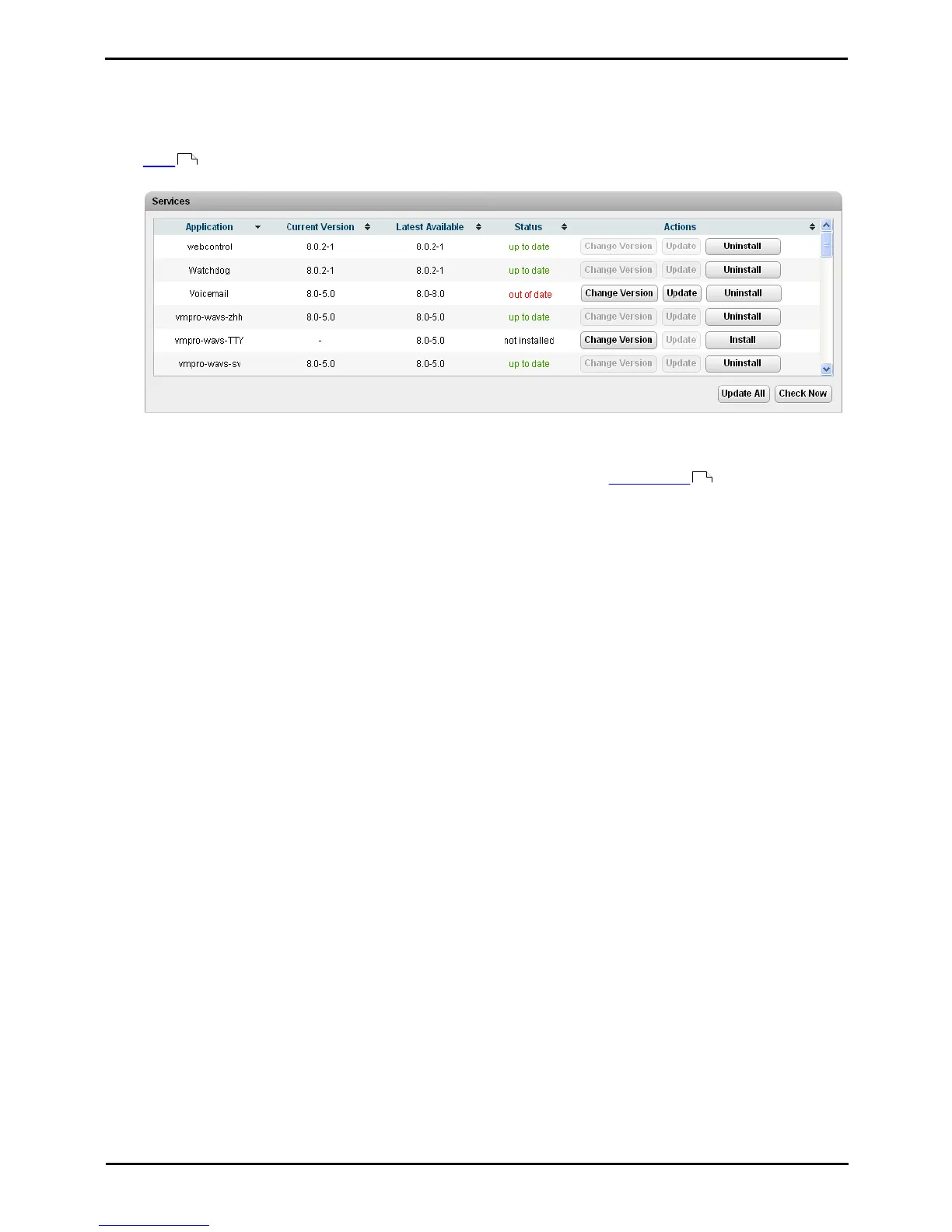
The Services section displays the current version and latest available version of each application service.
4.
To uninstall a service, click on Uninstall.
· If there are installation files for the application available in the application file repository , the button will
change to become an Install button.
· If there are no installation files for the application available in the file repository, the application is no longer
listed.
47
57



 To Next Page