Unified Communications Module Installation and Maintenance Page 68
15-601011 Issue 03l (28 August 2012)IP Office
6.3.2 System
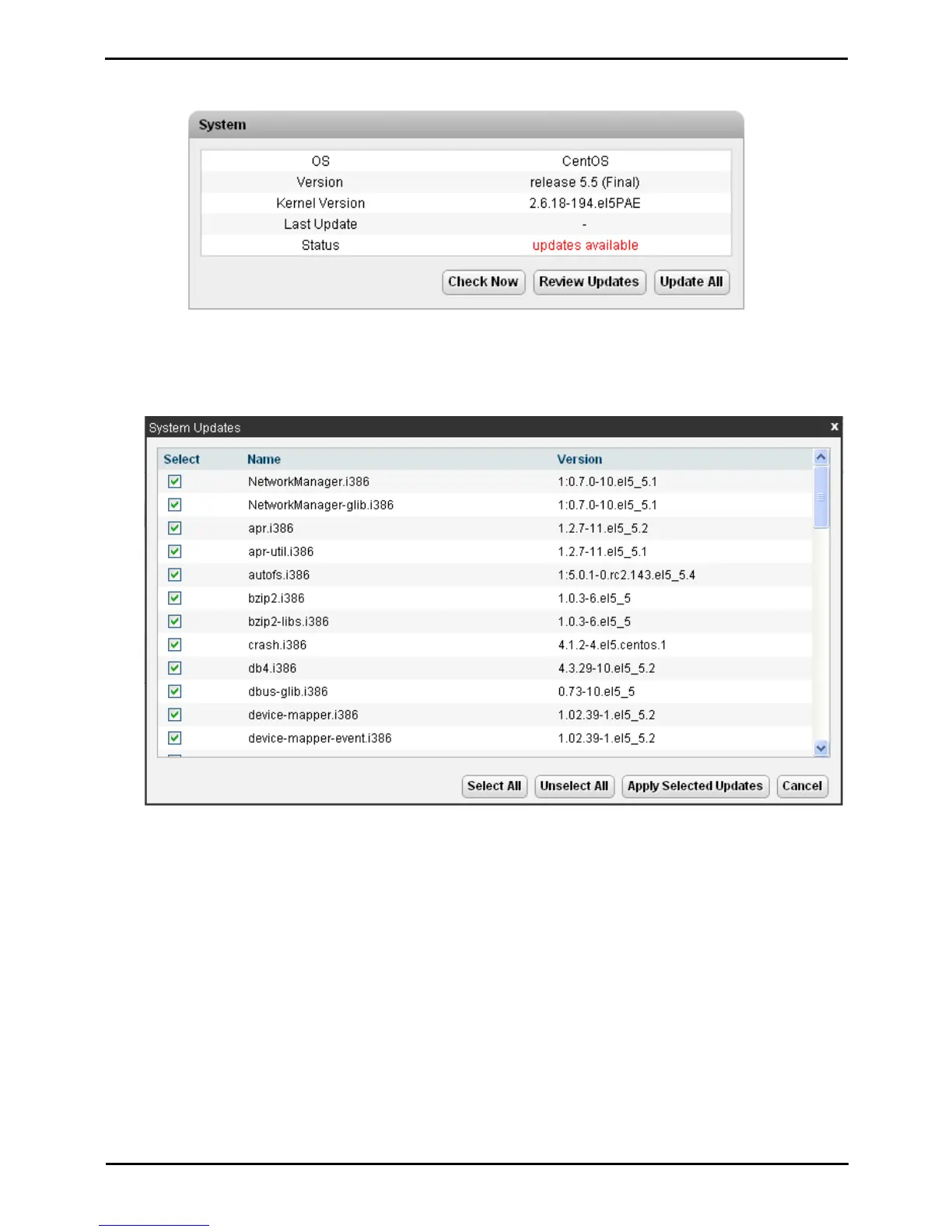
This section shows details of the operating system and whether there are updates available.
· Check Now
Clicking this button makes the Unified Communications Module recheck the version of update files available in the
file repository. Normally it does this automatically when the Updates page is loaded.
· Review updates
Clicking this button will display a list of the available update files. This list allows selection of which updates you
want to install.
· Update All
Clicking this button will install all the available updates without going through the process of selecting with updates
to install.



 To Next Page