16
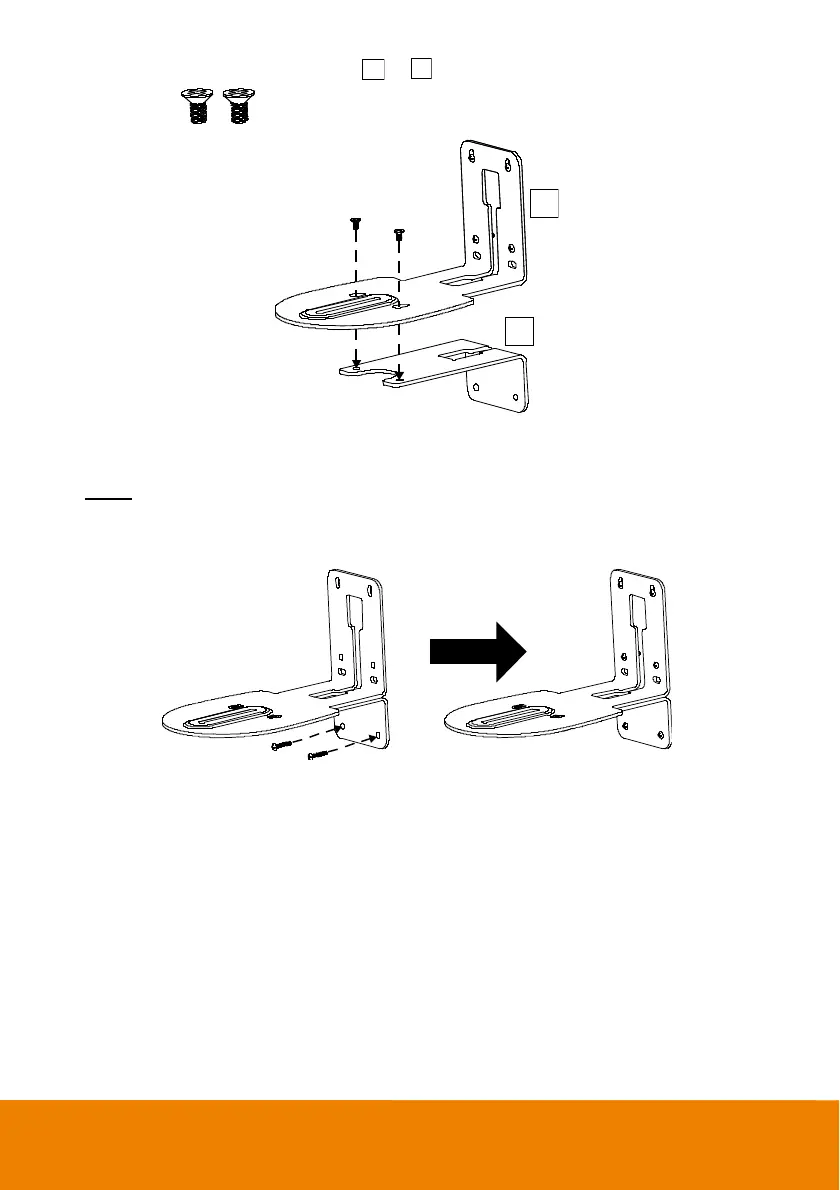
3. Then, assemble the L-mount brackets
A
+
B
with screws (included in package).
Screw size:
M4 x8mm (x2)
B
A
4. After assembling the L-mount brackets, use the screws (not included) to secure the lower part of
L-mount brackets on the wall.
Screw
For Cement wall:
M4 x20mm self-tapping screws (x2) + Plastic conical anchor
For Wooden wall:
M4 x20mm self-tapping screws (x2)



 To Next Page