49
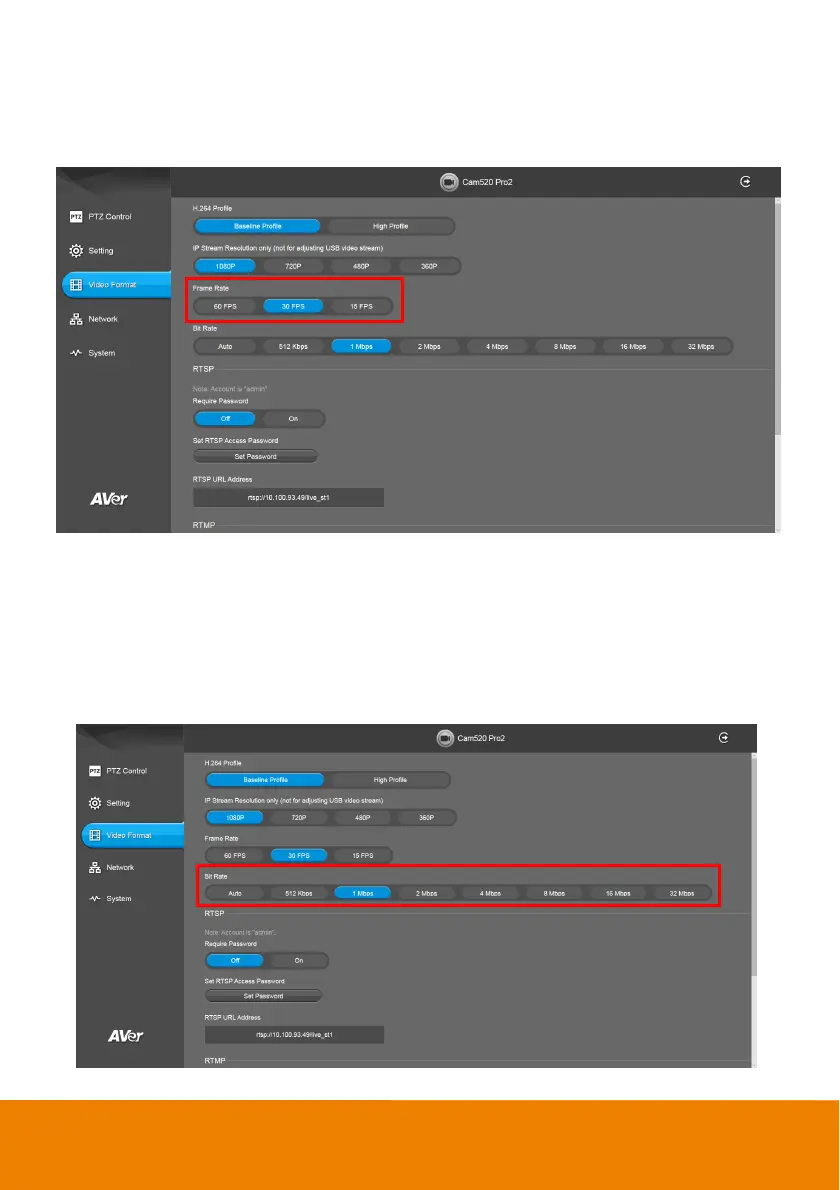
Frame Rate
Set up the frame rate value.
Select Video Format > Frame Rate > 60 FPS, 30 FPS, or 15 FPS.
Bit Rate
Set up the bit rate value.
Select Video Format > Bit Rate > Auto, 512 Kbps, 1 Mbps, 2 Mbps, 4 Mbps, 8 Mbps, 16 Mbps, or
32 Mbps.
For Facebook live broadcasting, it’s suggested to choose less than 4Mbps to ensure smooth
streaming.



 To Next Page