21
Make a Connection to the Camera via Browser
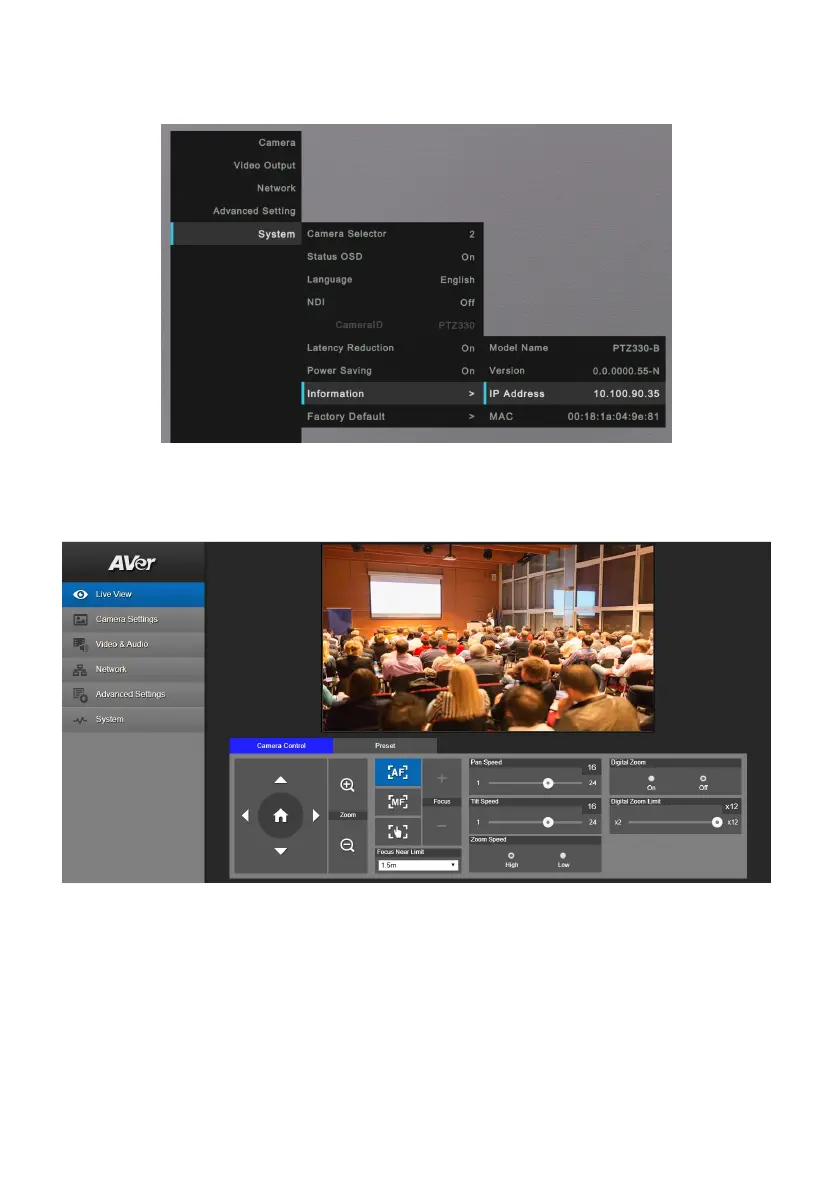
1. Find the IP address of the camera. Call out OSD menu and select System > Information.
2. Open the browser and enter the IP address of the camera. The PC/laptop is required an internet
access.
After connecting to the camera, the live view interface is displayed.
[Note] User can use mouse or ←, → of the keyboard to control the scroll bar on the control panel.



 To Next Page