29
Network
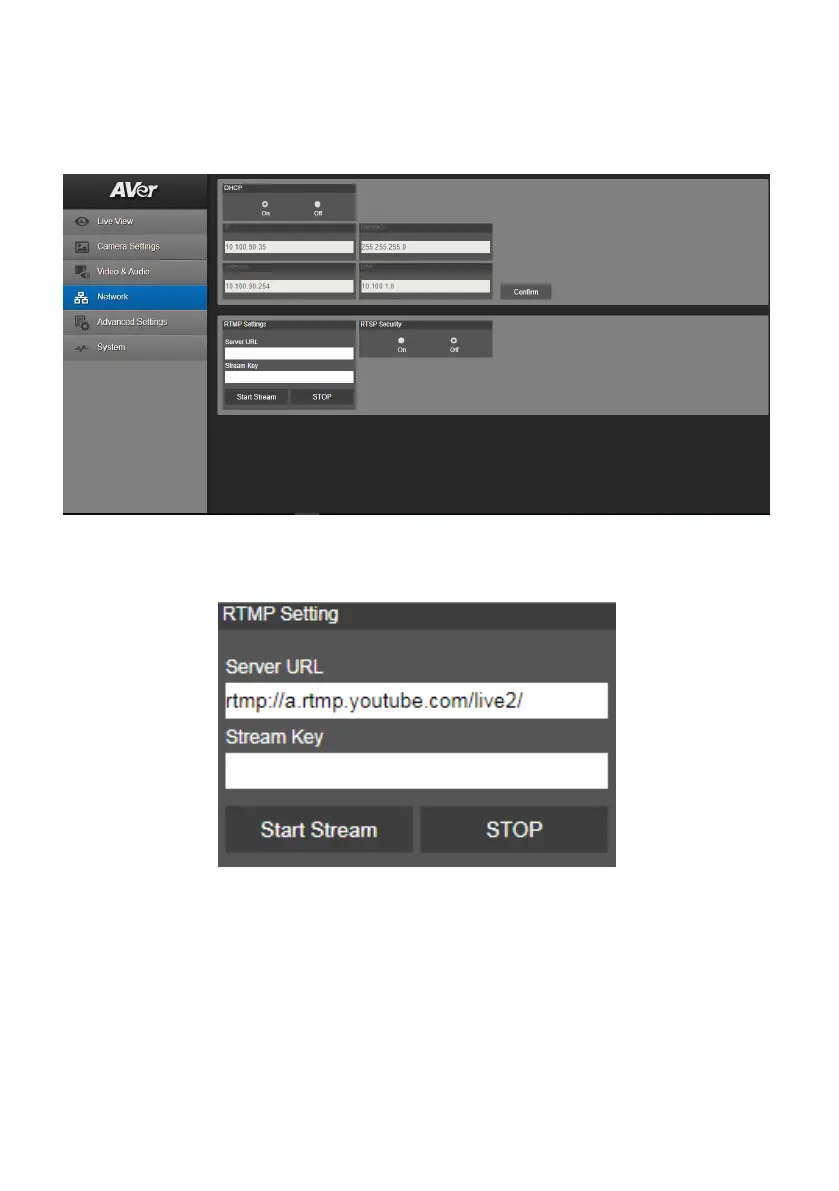
Setup IP address of camera – DHCP or static IP, netmask, gateway, and DNS. After setting, select
“Confirm” to apply settings.
RTMP Setting
Setup for uploading the camera’s live view to the broadcasting platform (ex: Youtube).
Get the RTMP server URL and stream key from the broadcasting platform and enter in “Server URL”
and “Stream Key” column.
Select “Start Stream” to begin uploading the live video of the camera to the broadcasting platform.
Select “STOP” to stop uploading the video.
[Note] To get the RTMP server URL and stream key, please refer to the instruction of broadcasting.
RTSP Security for user to set a security key number for streaming.



 To Next Page