12
Install Displaylink Driver
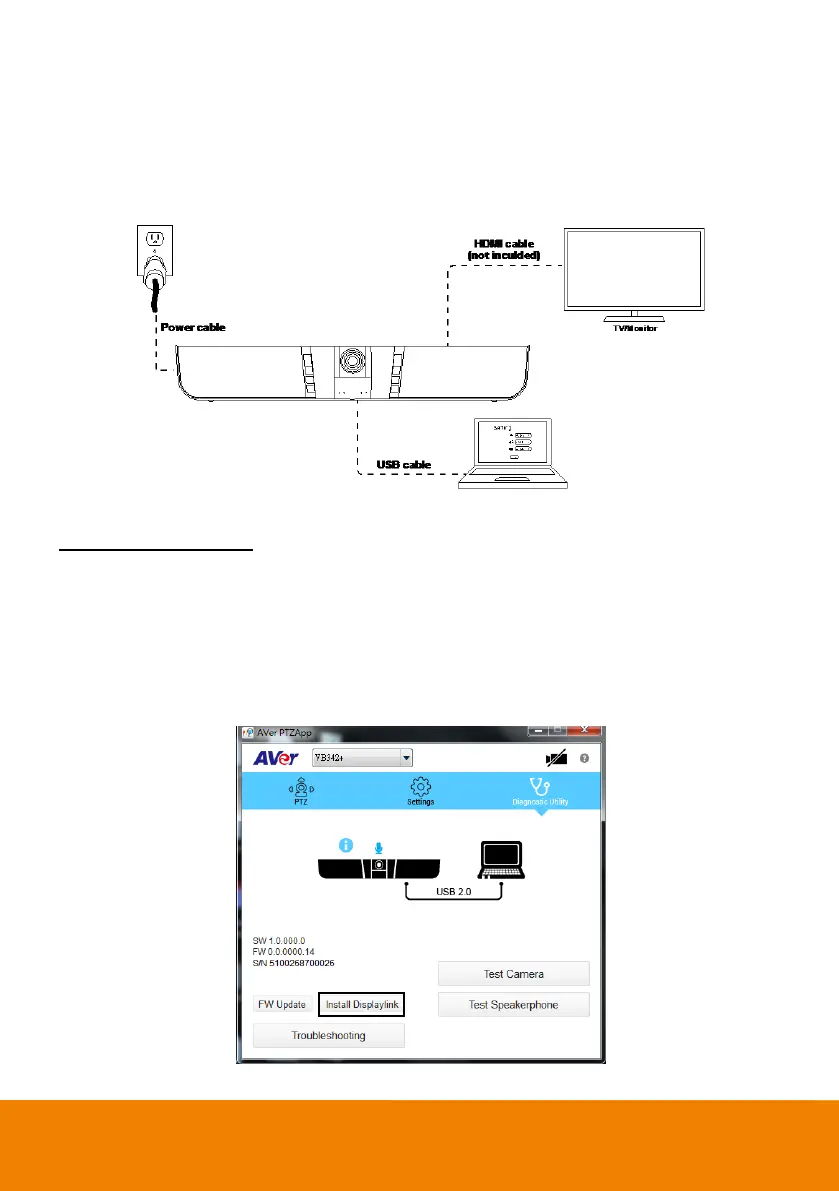
When the HDMI TV/monitor is connected with VB342+ directly, please install the Displaylink drvie on
your laptop/PC which is connected with VB342+. If your laptop/PC has installed Displaylink drvie
already, then, skip this step.
Following is how to install Displaylink driver on Windows and Mac.
Windows(Win7 and Win8)
1. Run the AVer PTZApp on your laptop/PC.
2. In AVer PTZApp, select “Diagnotics Utility” > “Install Displaylink”.
[Note]
If your laptop/PC is Win10, the “Install Displaylink” button will not show up. Because bulit-in support
on Win10.
Maximum output is1080p resolution.



 To Next Page