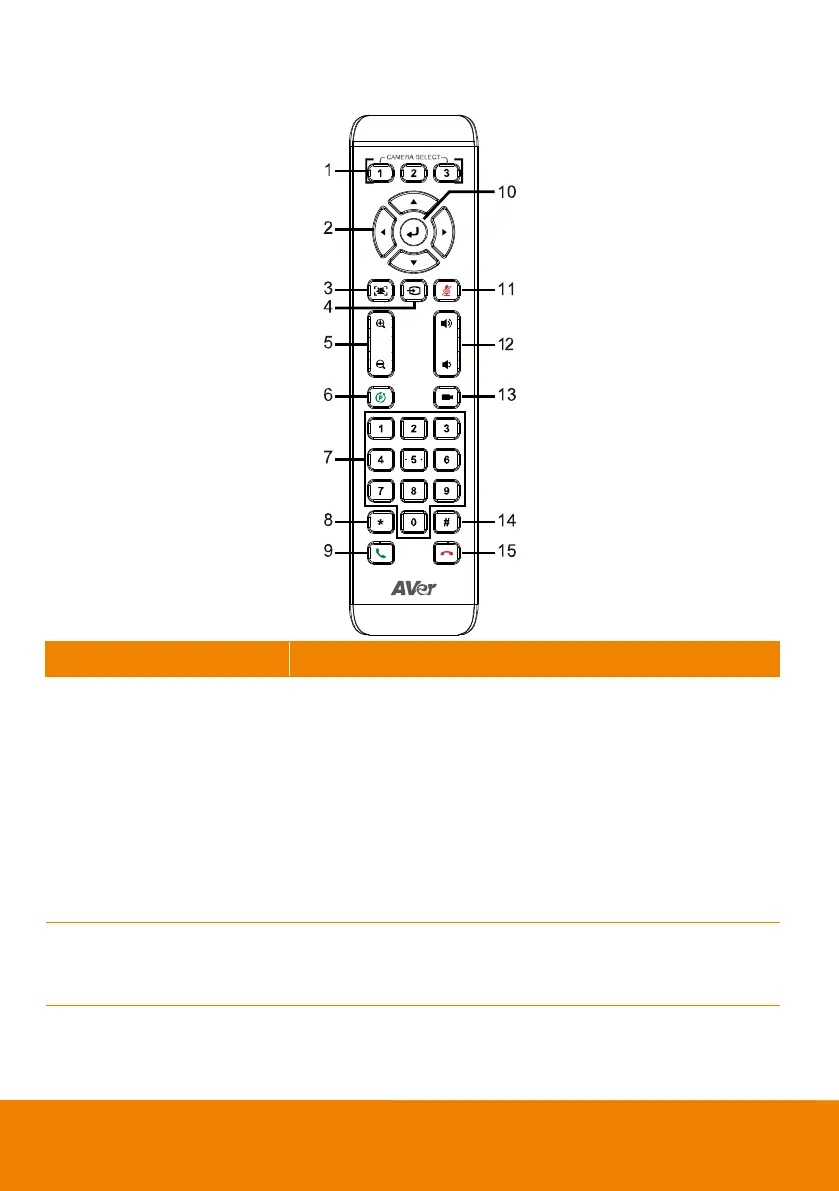
One remote can control up to 3 AVer VC/CAM. Use AVer PTZApp
sets number associated with each camera, select which camera
you like to control on the remote.
[Note]
If you only have one camera and don’t need to do any setting,
the default is camera 1.
If you press camera 2 or 3 on the remote control, you will find
your remote can’t control your camera. In this case, please
press camera 1 on your remote again.
Use the direction button on the remote to control the direction of
the camera. Press the direction button to move the camera or
press and hold for continuous pan or tilt.



 To Next Page