AVerMedia
®
AVerTV Box5 Live
10
F
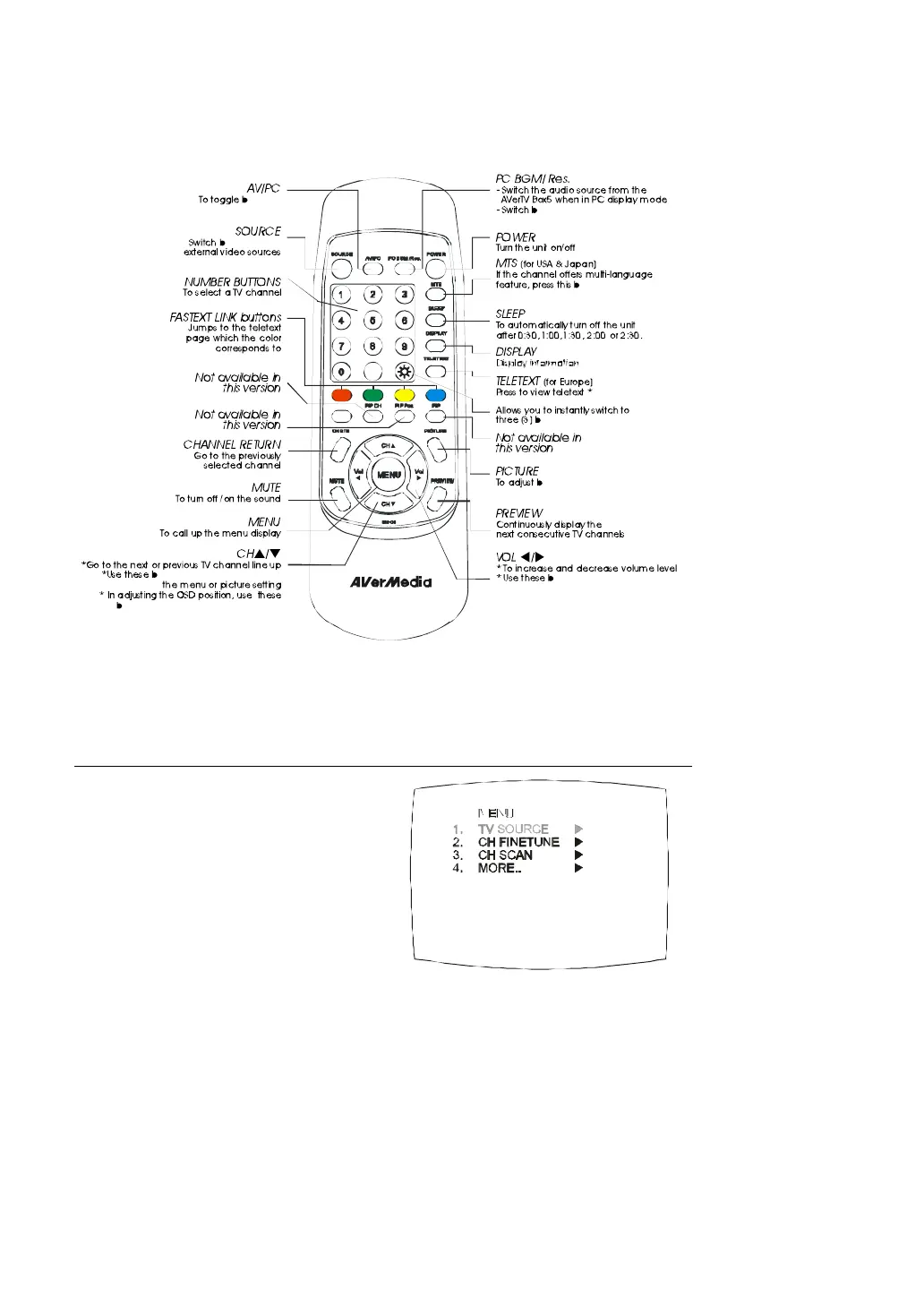
Note: Teletext buttons only present in European model.
Calling Up a Menu Display
Press the MENU button on the
remote control to call up and exit from
the main menu or sub-menu display.
Then, use the CH? or CH? buttons
to select the items in the menu list
and use the Vol? or Vol? buttons to
adjust or to make a selection. The
table on the next page lists the
different functions you will find in the
menu.


 To Next Page