AVerMedia
®
AVerTV Box5 Live
6
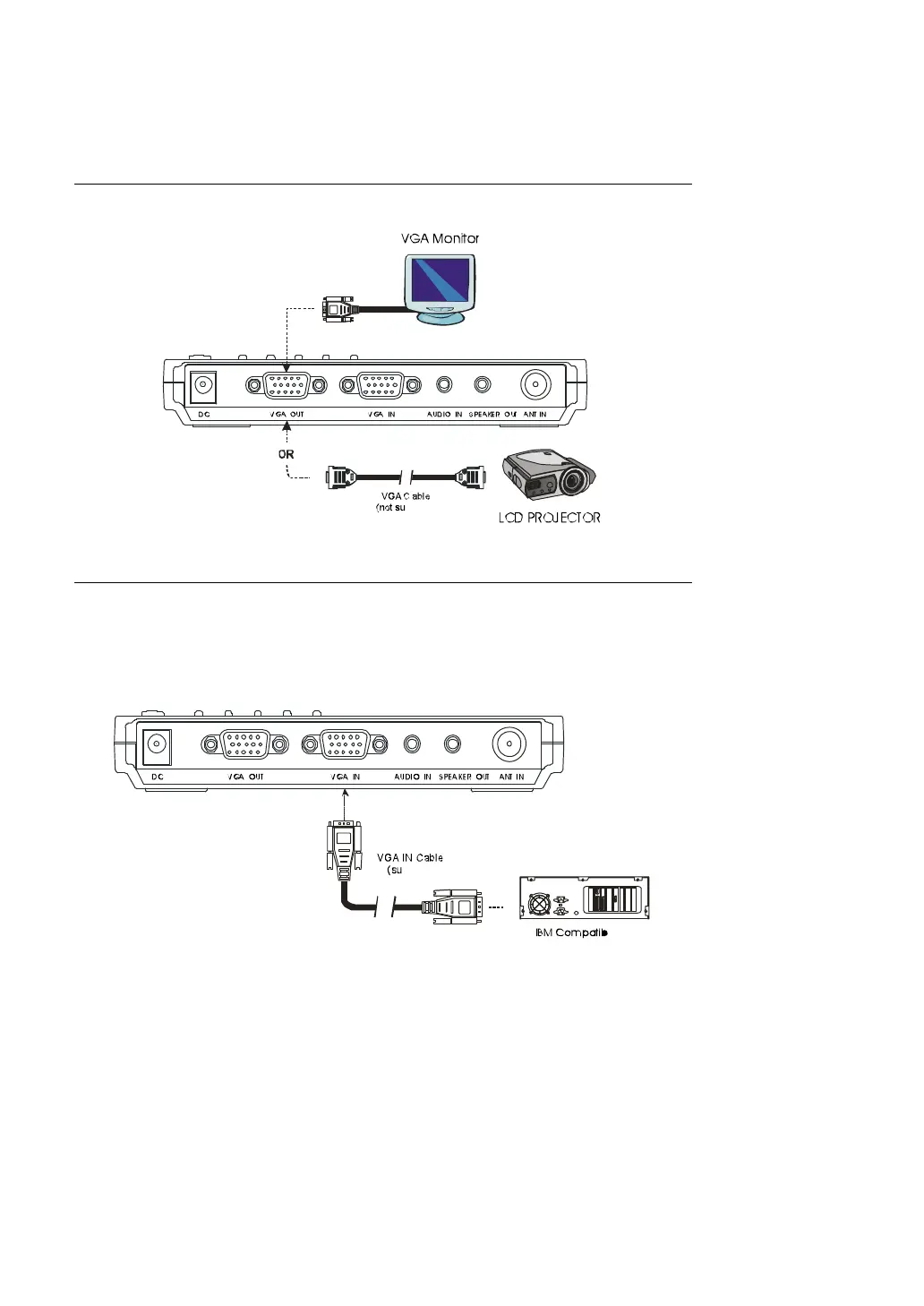
Connecting the VGA monitor or LCD Projector
Connect the monitor cable to the AVerTV Box5 Live VGA OUT port.
Connecting the Computer
You can use AVerTV Box5 Live with or without turning the computer on. To
switch to PC anytime, connect the supplied VGA cable to the AVerTV Box5
Live VGA IN port and to your computer's VGA card (the terminal where
your monitor connects to the PC).


 To Next Page