User’s Manual
13
Main Menu On Screen Display Usage
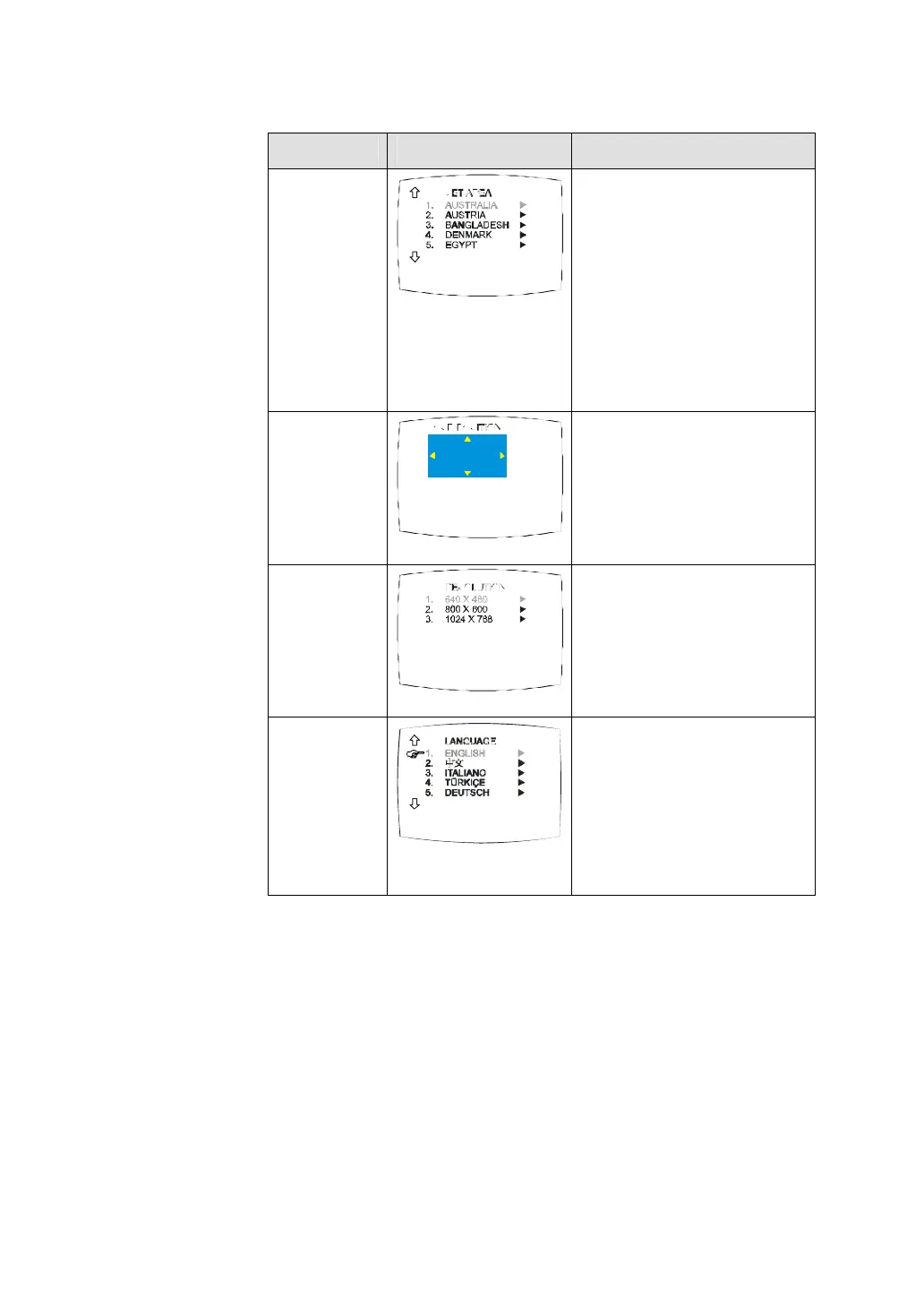
SET AREA
F
Press the MENU button, select
MORE.., select SET AREA in the
MORE.. list items, use the CH?
or CH? buttons to choose the
appropriate country signal then
press Vol? button to make the
selection.
If the name of your country is not
listed, choose any country, which
uses the same TV system as
yours.
OSD
POSITION
Use the CH? , CH? , Vol? , and
Vol? buttons to move the frame
on where you want to set the
position of the MENU, then press
MENU.
RESOLUTION
F
Use the CH? or CH? buttons to
choose from 640 x 480, 800 x 600
or 1024 x 768 display resolution
then press Vol? .
LANGUAGE
Use the CH? or CH? buttons to
select from different languages
then press Vol? .


 To Next Page