EasyManua.ls Logo

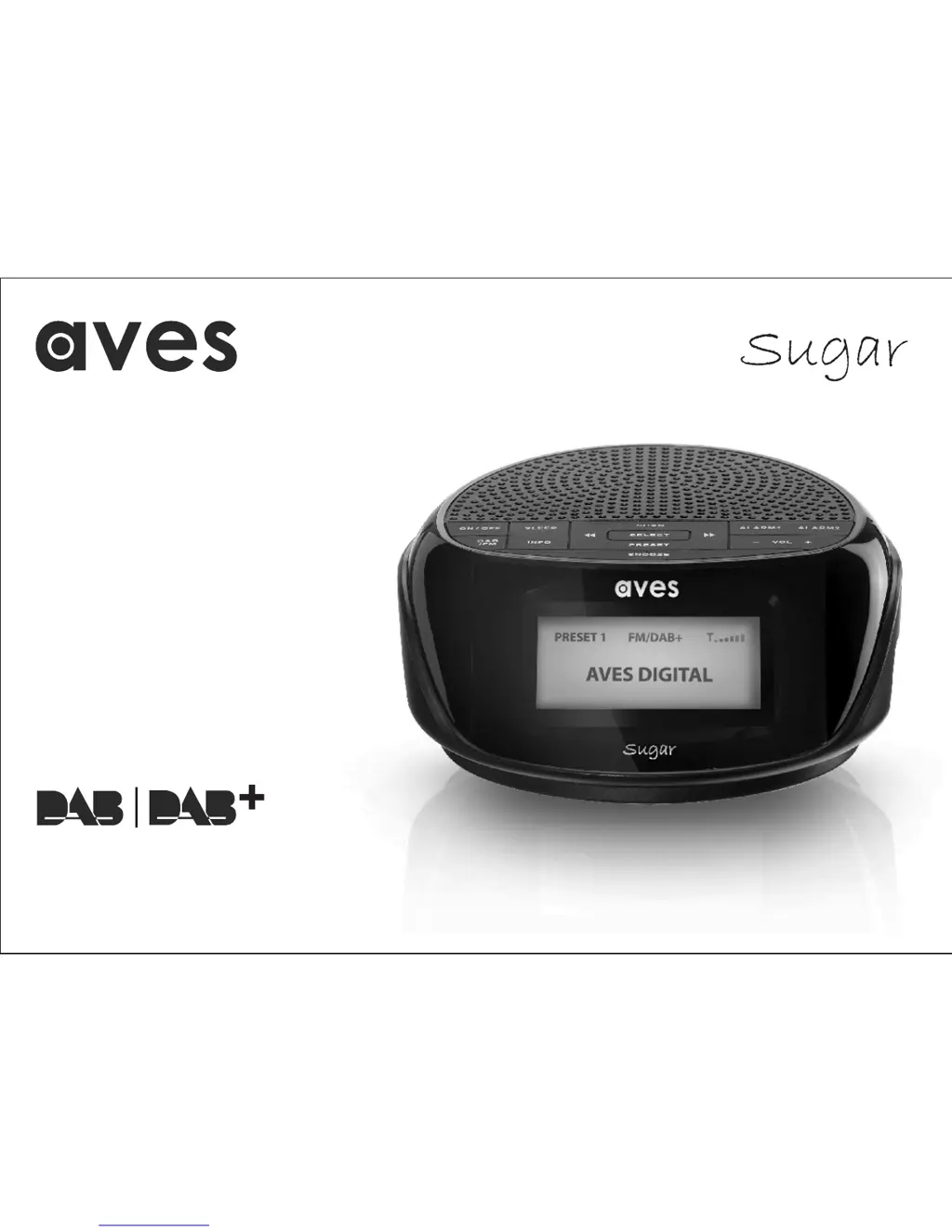
AVES SUGAR - User Manual

Default Icon
24 pages
Print Icon
To Next Page IconTo Next Page
Loading...
Instruction Book
DAB/DAB+/FM Digital Alarm Clock Radio

Questions and Answers

  • S
    Sheryl ArmstrongAug 2, 2025
    How to improve radio channel reception on AVES SUGAR Radio?
    • A
      Alice YoungAug 2, 2025
      To improve radio channel reception on your AVES Radio, adjust the antenna's location and position until you get the best signal. Also, make sure you're tuned to the correct radio channel frequency.
  • A
    Andrew MatthewsAug 7, 2025
    How to troubleshoot AVES SUGAR Radio if it has no power?
    • W
      William ClarkeAug 8, 2025
      If your AVES Radio has no power, first, ensure that the power is switched on at the wall. Then, check that the power cord is properly connected to the power outlet.
  • C
    Clayton ThompsonAug 14, 2025
    What to do if my AVES Radio has no sound?
    • K
      Kimberly NolanAug 14, 2025
      If your AVES Radio isn't producing any sound, verify that the volume control is not set to the minimum.
  • T
    thomas81Aug 20, 2025
    Why does my AVES SUGAR have no signal?
    • T
      Todd TateAug 20, 2025
      If your AVES Radio shows no signal, ensure that your location is within the range to receive DAB transmissions.
  • D
    Dawn WebbAug 26, 2025
    What to do if the function of my AVES Radio is disturbed?
    • J
      james51Aug 26, 2025
      If the function of your AVES Radio is disturbed, try switching it off, unplugging it, and leaving it for a few minutes before switching it back on.

Summary

Device Controls and Display

Button Functions

Details primary buttons for power, mode selection, alarms, sleep, scanning, presets, and volume control.

Ports and Display

Covers the LCD screen, antenna, USB, earphone, and power ports on the device.

Initial Setup Guide

Antenna Placement

Instructions for optimal antenna positioning to ensure good signal reception and signal strength checking.

Radio Operation Modes

Advanced DAB Tuning

Storing and Recalling Stations

Saving Favourite Stations

Instructions to save up to 10 favourite DAB/FM stations using preset memory slots.

Time Setting Procedures

Alarm System Configuration

Setting Alarm 1

Covers selecting alarm sound, source (DAB/FM preset), and recurrence patterns (Once, Daily, Weekend).

Alarm and Sleep Functionality

Sleep Timer Setup

How to program the radio to automatically turn off after a selected time interval.

Radio Reset and Restoration

Reset Procedure

Step-by-step instructions to perform a factory reset on the radio using specific buttons.

Troubleshooting Common Issues

Important Safety Precautions

General Usage Safety

Covers reading warnings, correct cord usage, stable placement, and avoiding misuse.

Electrical and Repair Safety

Advises on voltage matching, disconnecting during storms, safe cleaning, and authorized repairs.

Environmental and Ventilation

Guidance on product placement away from heat sources and ensuring adequate ventilation.

Additional Safety Guidelines

Environmental Conditions

Recommends moderate temperatures and well-ventilated areas, avoiding humid or confined spaces.

Liquid and Moisture Hazards

Warnings against exposure to rain, moisture, or liquids to prevent electric shock or damage.

AVES SUGAR Specifications

General IconGeneral
BrandAVES
ModelSUGAR
CategoryRadio
LanguageEnglish

Related product manuals