7
Instruction Book
Recalling a Stored Station
Once you have saved your preset stations you can press the PRESET button to recall the saved station.
Press the PRESET button to enter into the “Preset Load” function.
Press the or button to select your desired preset station number.
Press the SELECT button to confirm selection and your radio will tune into that station.
Storing your Favourite Stations
You can store your favourite stations to the memory. This will enable you to access your favourite
stations quickly and easily at a later date.
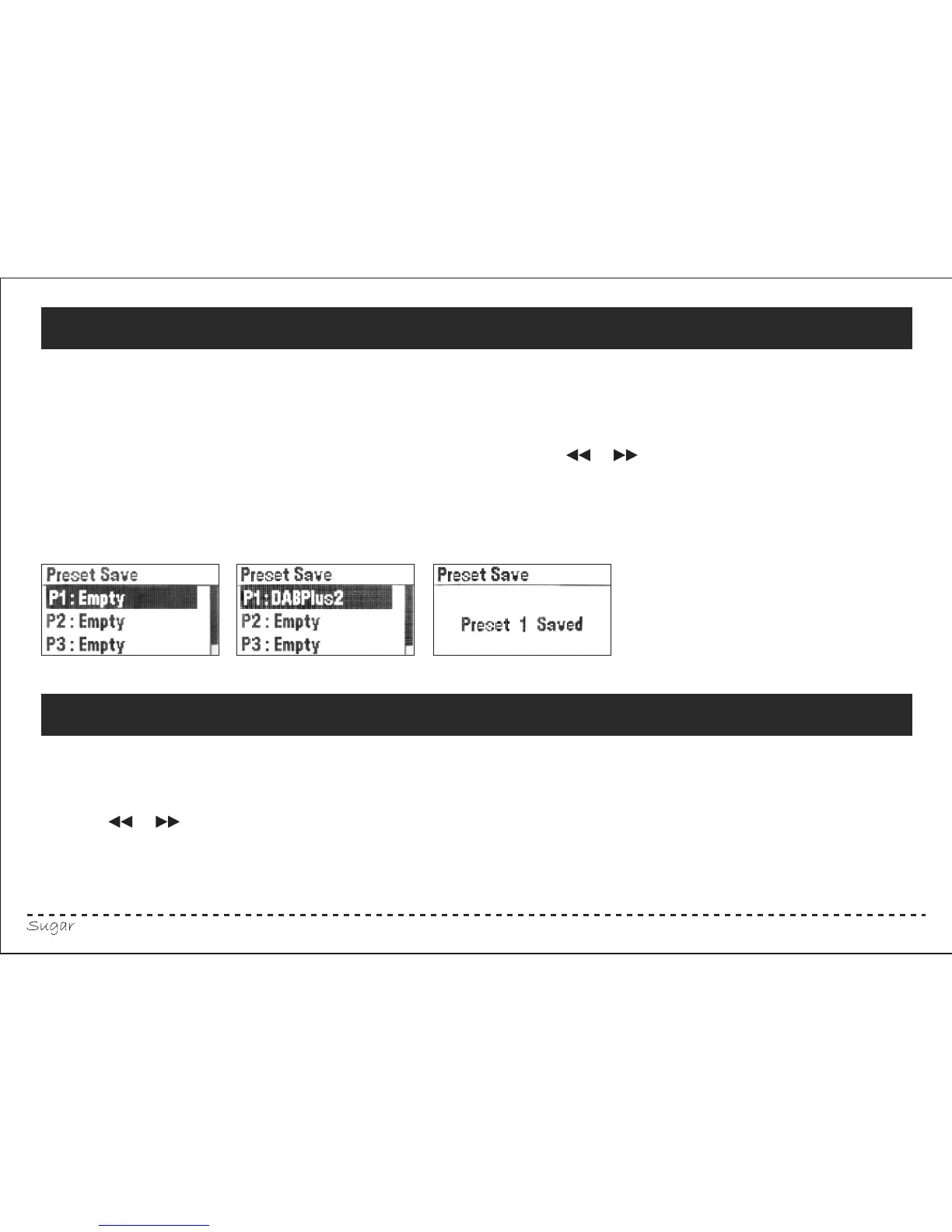
Press and hold the PRESET button, the letter “P” followed by a number from “1 to 10" and the
word “empty” will appear on the screen if this position is empty. Press the or button
repeatedly to select the desire preset position(”P1 to P10").
Press the SELECT button to save the station.
You can save up to 10 stations in both the DAB and FM mode.



 To Next Page