6
Instruction Book
Manual DAB Tuning
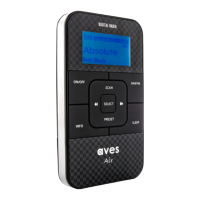
To select the manual tuning function, press and hold the INFO button until the display shows
“Manual Tune”, then press the SELECT button to confirm.
Press the or button to move through the DAB channels. The display will show “5A to 13F”
and their associated frequency. Press the SELECT button to confirm selection.
If the DAB channel locates a station group, the name of the station group will appear at the bottom
of the display.
Press the SELECT button again and the first station name will appear on the display and play automatically.
To exit the “manual menu” press the INFO button.
To return to the “manual menu” press and hold the INFO button.



 To Next Page