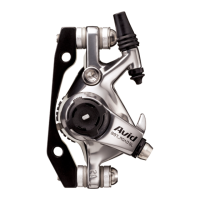
English Elixir/Code User Manual
95-5015-016-000 Rev F4
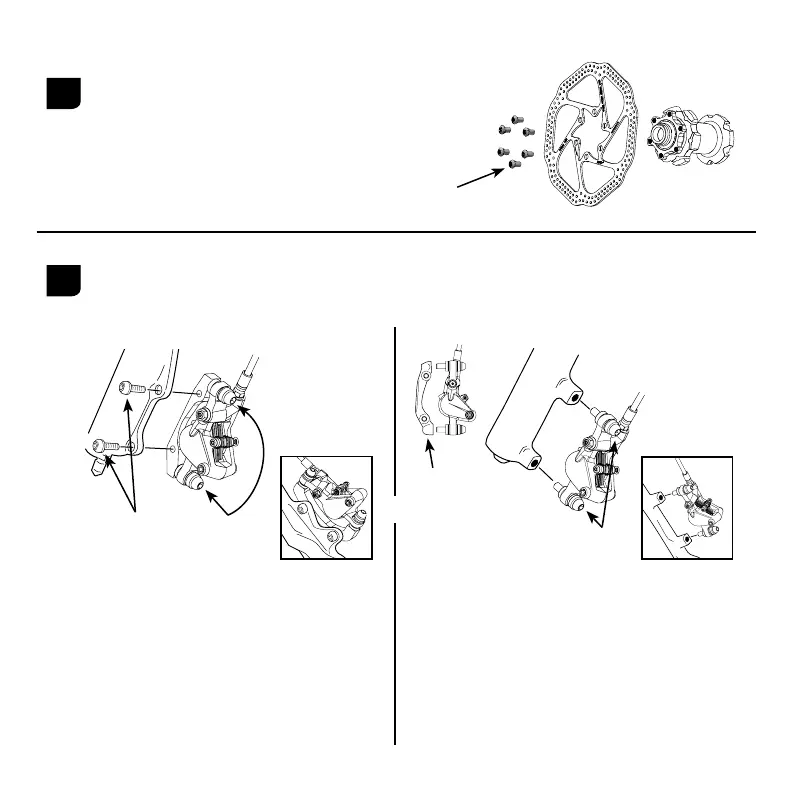
INSTALL ROTOR
Mount the rotor to the hub using the supplied T25 TORX® bolts and
tighten to 6.2 N•m (55 in-lb). Avid logo MUST face out. Install the wheel
into the fork or frame.
6.2 N•m (55 in-lb)
MOUNT FRONT AND REAR CALIPER
Mount the front caliper (shorter hose) to the fork and the rear caliper (longer hose) to the frame.
I.S. MOUNT
I.S. MOUNT
Loosen the CPS bolts, then bolt the caliper to the mounting
tabs. Tighten the mounting bolts to 9-10 N•m (80-90 in-lb).
Check that the caliper moves freely on the CPS hardware.
DIRECT MOUNT
DIRECT MOUNT
Remove the mounting bracket but leave the CPS bolts
and washer stacks intact. Bolt the caliper directly to the
fork or frame. Snug the bolts, then back them out 1/8th to
1/4th turn. Check that the caliper moves freely on the CPS
hardware.
For larger rotor sizes, an adapter bracket may be
necessary. See Make Sure You Have The Correct
Brackets for options.
Remove
Mount directly
Snug, then back off
1/8th to 1/4th turn
OR
Loosen before
mounting
9-10 N•m (80-90 in-lb)
Rear
Rear
1
2


 To Next Page