Chapter 2: Controls and Connectors 5
Chapter 2: Controls and Connectors
Front Panel
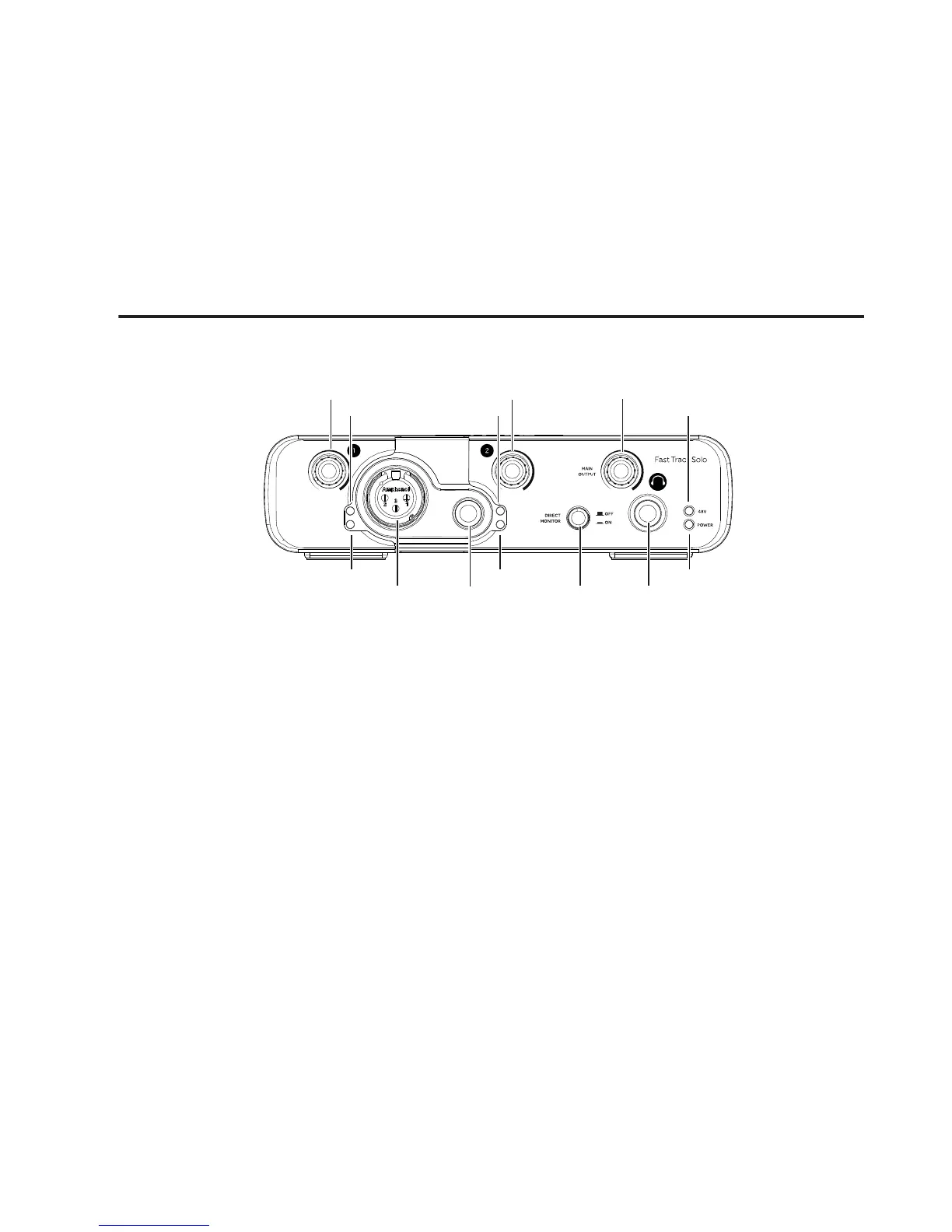
1 – Microphone Input Gain
Control
Adjust this knob to control the input gain for the
Microphone input when setting recording levels.
2 – Instrument Input Gain
Control
Adjust this knob to control the input gain for the
Instrument input when setting recording levels.
3 – Output Level Control
Adjust this knob to control the Main and Head-
phone output level.
4 – Microphone Input
This jack is used for connecting a microphone us-
ing a standard XLR cable.
5 – Instrument Input
This jack is used for connecting a 1/4-inch instru-
ment cable
.
6 – Direct Monitor Button
This button switches Direct Monitoring on and off,
which provides a latency-free mix of the input sig-
nal and the output of your music software. When
Direct Monitoring is switched off, you must use
the monitoring option in your music software.
7 – Headphone Output
Connect your stereo headphones to this 1/4-inch
output. Set the volume using the Output Level
control.
4
8
6
7
10
11
8
123
9
5
9











 To Next Page