EN
D - CONFIGURATION
1 - CONFIGURING THE CAMERA AND
ADDING IT TO THE APP
Note: the screenshots displayed have been taken
from the Android version of the Protect-Home app.
The iPhone version works in exactly the same way.
Download the Protect-Home
app on the
Appstore or Google Play; then launch the app.
Accept the authorisation requests sent by the app
if necessary (access to the camera for scanning the
QRCode, etc.).
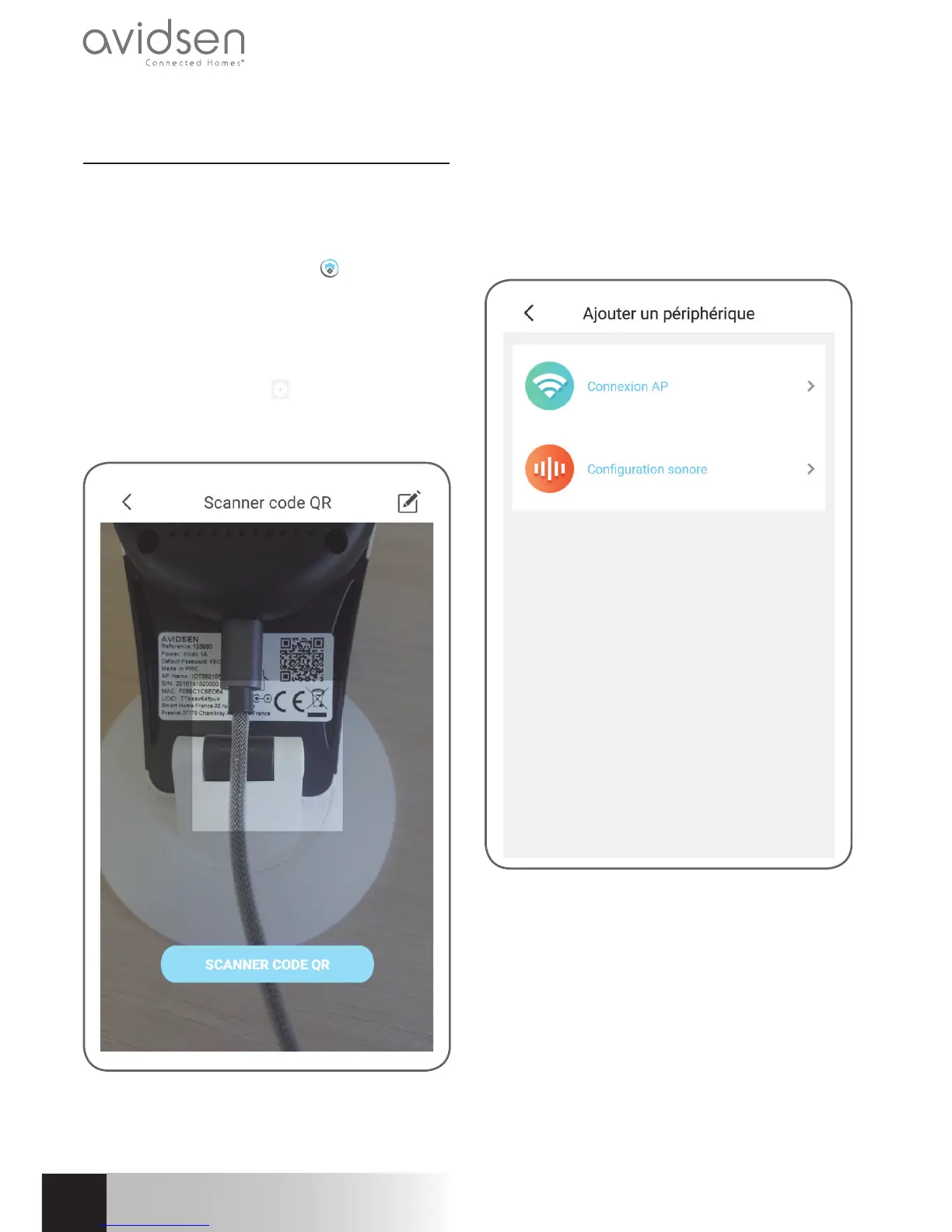
Next, click on the icon
, the app opens the
camera on your smartphone and invites you to scan
the QRCode shown on the camera:
At this point, the camera must be powered on and
started up. It plays a standby tune when it is ready.
Click on “Ready music played” to continue.
The app then asks you how you wish to configure
the camera:
AP connection: via WiFi connection.
Audio configuration: the data will be transmitted by
the smartphone loudspeaker.
Select one of the methods to continue (they are
equivalent):



 To Next Page