EN
E - OPERATION
2
3
9
4
5
6
1
8
7
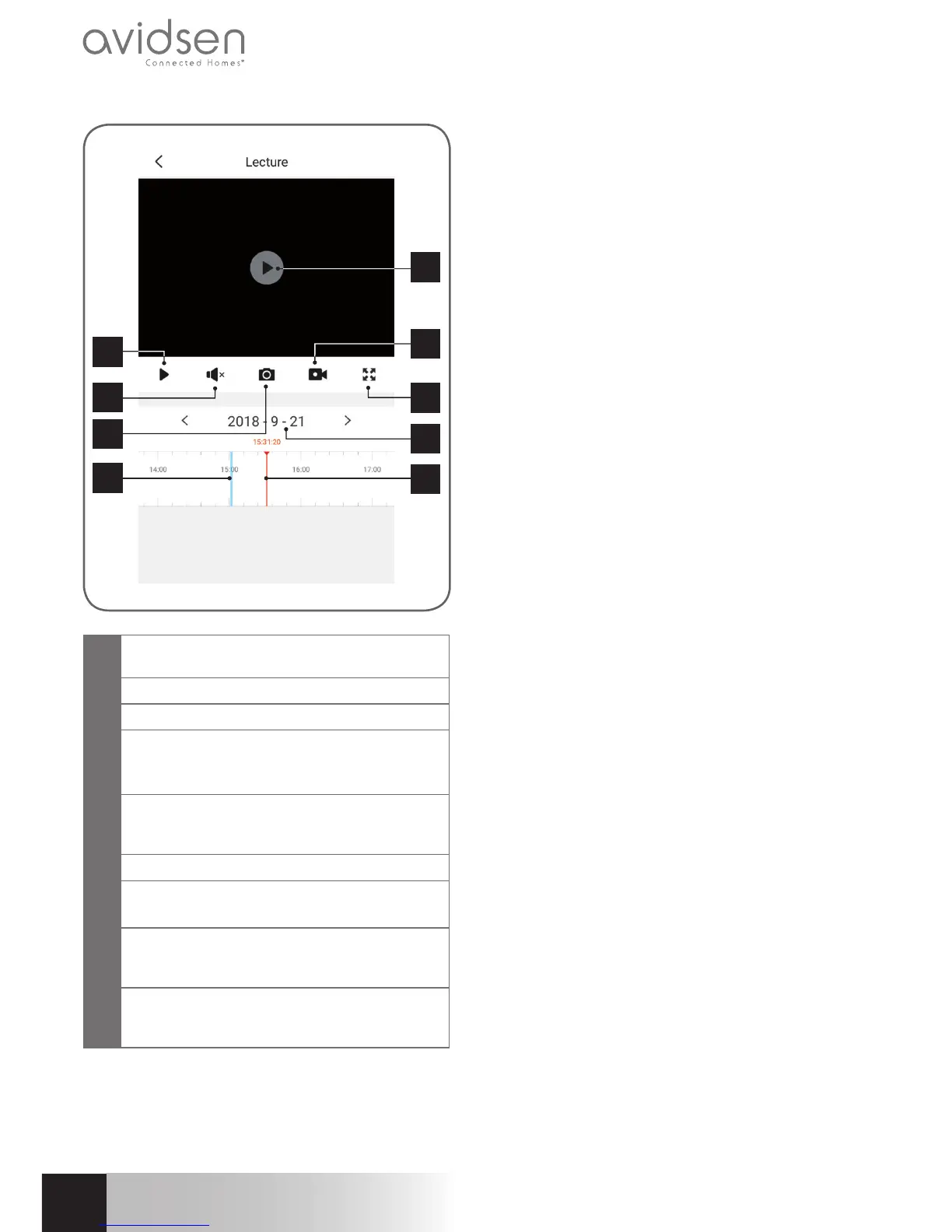
1
When a recorded video is viewed, it appears
instead of the live image
2
Review start/stop
3
On/off of sound on recorded video
4
Taking an immediate photo of the recording
being viewed (saved to the smartphone
memory)
5
Start/stop of video recording saved to the
smartphone memory for the video recording
being viewed
6
Go to full screen
7
Date being viewed (click on
“<” or “>” to change)
8
The index in red indicates the current viewing
time (slide left or right to change the video
location or to change video)
9
The presence of blue coloured lines indicates
that videos have been stored on the camera
at the corresponding time



 To Next Page