EN
14
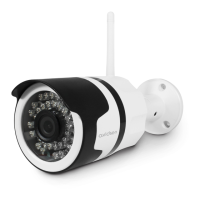
Ifthereisaproblemorthelogindetailshavebeen
lost,thecameracanberesettoitsdefaultsettings
bypressingtheResetbuttononthecamerafor10
seconds.
Settings Default value
Username admin
Password admin
TimeZone GMT+1
Ports http:80
rstp:554
rtp:6600
ONVIF:8080
ftp:21
Plugandplayaccess Enabled
Motiondetection Disabled
Mainvideostream 720p@25framesper
second
Secondaryvideostream 640x352,25images
persecond
Nightvision auto
720P WIFI IP OUTDOOR CAMERA
g - rESETTiNg
Symptoms Possible causes Solutions
Incorrectvideosettings
The camera feed cannot be
accessed over the internet
Networkcongurationproblem Checkyourdevicesettings(box,
router)
Checkthevideosettingsand
reducethequalityifnecessary
Testthe"uxsecondaire
[secondarystream]"toconrm
Cannot connect to camera over
local area network (e.g. IPCam
Search)
Networkproblem Checkyourconnections.
Temporarilyconnectusingthe
networkcableifthecamerais
connectedoverWiFi
Networkcongurationproblem
Checkyourcamera'snetwork
connectionsettings.Reset
yourcameraifitisnolonger
accessible.
H - FAQ
Ifyourproblemisnotcoveredbelow,pleasecontactourhelpline.


 To Next Page