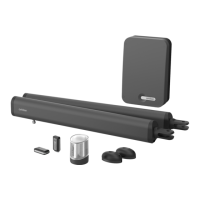
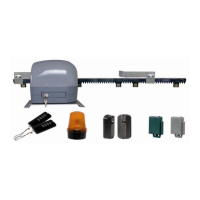
List of checks to be done for AT C2N machine
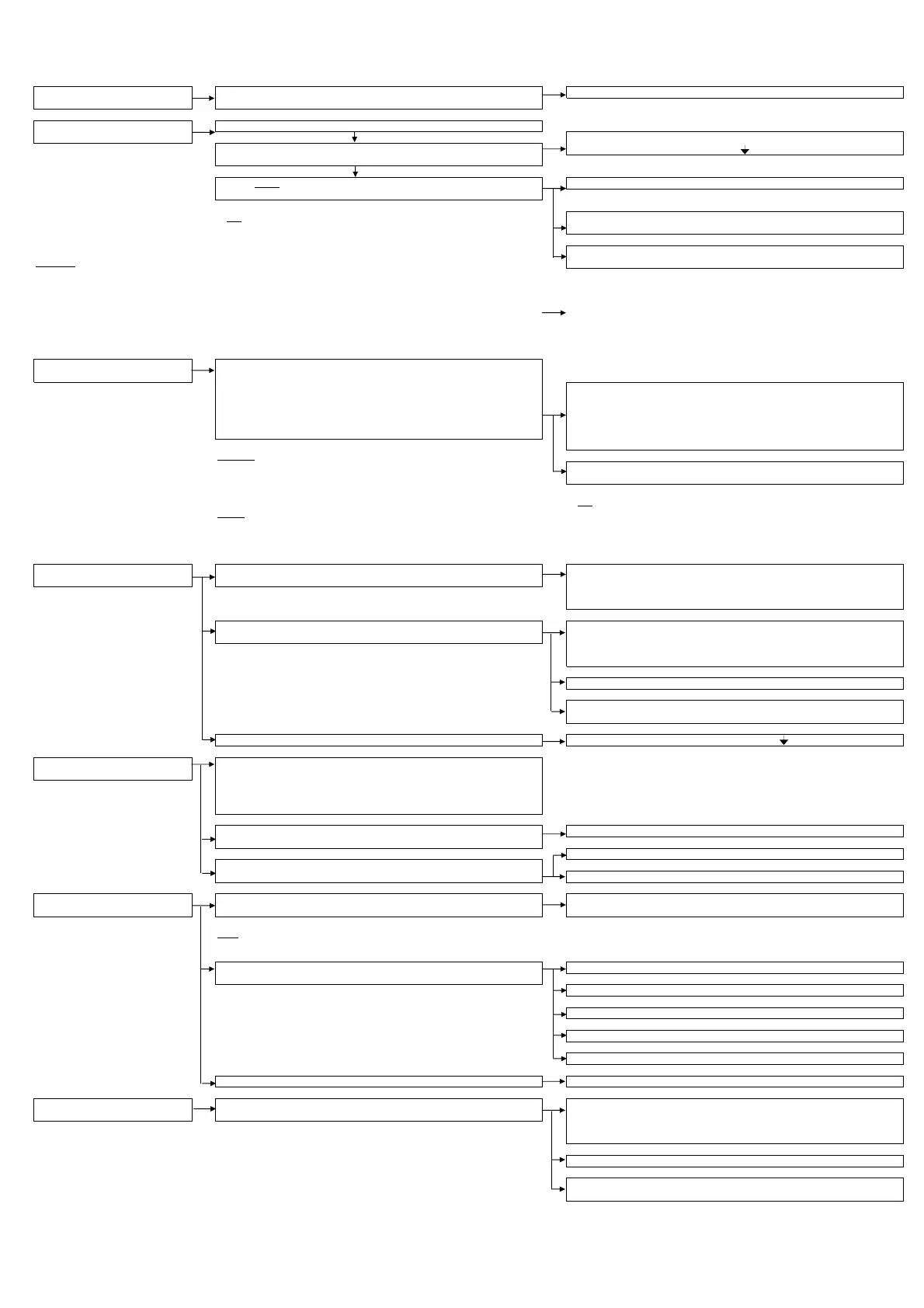
1. Check there is 230v multimeter or check the electical installation
when the sector is connected, the small green led flashes on the card
2. Check that the motor release the motor, open half the gate, re-lock
is properly connected If the green led does not flash after pressing on P1/SET, check there
carry out a test (P1/SET for 1s or 2s) is a shunt on STP terminals and
that the green lid lights up
The gate opens
by a few cms
check that the motor is re-locked
(Note: if not working properly you can stop the
If the motor does not move, check the proper connection of
programme at any time by pressing reset) the motor to the card, and check the cables
If the gate does not open but closes
Important:
originally the motor was planned to be installed on the right (view from inside)
invert the motor's polarity
For an installation on the left, do not forget to invert the motor's cabling and cycle end contacts
A simple check of the cycle ends can be carried out by locking your motor, and starting a test
activating the motor's spring yourself according to the test cycle
(press on P1/SET, the motor starts on opening and stops, then starts on closing, then activate the spring If operation us inverted, invert the red and black cables on the motor, and
by simulating the arrival of the closing cycle for the rack, the motor stops and starts on opening, invert the brown and black cables on the cycle end
Then activate the spring by simulating the arrival of the opening cycle end for the rack, the motor stops
and starts on closing, Activate the spring by simulating the arrival of the closing cycle end, the motor stops and the led goes out)
3. scheduling working time carry out a test (P1/SET for 4s or 5s)
the green led lights up
The gate opens by a few cms the gate stops mid cycle.
Then the gate closes at the end of its cycle (FCL) - There is an obstacle (stone etc..): remove the obstacle.
Then the gate opens completely up to the end of its cycle (FOP) - Check that the wheels and rollers are well lubricated and
Then the gate closes up to the end of its cycle (FCL) that there are no hard points.
the green led goes out - The settings are too low: re-adjust the Force settings (VR1), ODS (VR3),
and sensitivity (VR4)
Attention:
A machine will never do better than you. If you have already had
problems yourself closing your gate in strong wind because it is not sliding properly The test was not done properly: check the motor's cabling and
or because the opening is on a slope, a machine will not be cycle ends section 2
the solution.
(Note:
the Force setting acts on the power and speed
Advice
: in windy areas, preferably re-adjust the VR3 and VR4 settings
the ODS setting acts on reaction time
A gust of wind last about 2s, you can therefore activate your motor the Sensitivity setting governs the sensitivity threshold)
to not necessarily stop at the slightest slowing down.
Finalise your settings with a test.
4. use of automated system When a pause time is set, the gate will not close Check the photo-electric cells are present, For safety, the card does not allow
at this stage automatically automatic closing if photo-electric cells are not installed
No need to do a shunt (practice used for other machines), to simulate
the presence of photo-electric cells, they have an auto-test. (See section 6)
The gate opens and closes permanently or stays blocked Check the control terminals:
If you have connected an interphone or a push button, check that the
control signal is normally open and a dry contact point. Disconnect
this control to ensure that the problem does not originate there
If the control signal is a pressure signal, use the 8111 module
If you use an existing relay, check that you are in contact
normally open
After a control, the automated system does not react check there is a shunt on STP terminals and
5. check remote controls Each remote control is coded, they must be recorded on the card
Testing remote controls:
Press on P2/Radio, The red led lights up
Press on the remote control, The red led on the card flashes
Wait until the red led goes out
By pressing on the remote control nothing happens, but the red led on Re-do a test of the remote controls
the card lights up
Radio disturbance
By pressing on the remote control nothing happens, and the red led on
the card does not light up, Check the batteries in the remote controls, consider an optional ATAN2 aerial
6. check photo-electric cells A red led in the RX cell shows that the alignment If the led is out: check the photo-electric cells are connected
photo-electric cells are correct properly align the photo-electric cells
Note:
the installation of photo-electric cells MUST be validated
by a test of the card
When someone passes in front of the photo-electric cells, the gates do not stop The photo-electric cells are only valid on closing
the red led lights up, and the photo-electric cells react
The test was not done
check there is a shunt between COM and GND on the RX photo-electric cell
check that the cables between the RX and TX cells are not inverted
check the installation and cables
The photo-electric cells react on opening but not on closing Check the motor is connected (section 2)
7. check the control by a The gate opens and closes permanently or stays blocked Check the control terminals:
interphone or push button If you have connected an interphone or a push button, check that the
control signal is a dry contact normally open. Disconnect
this control in order to ensure that the problem does not originate there
If the control signal is a pressure signal, use the 8111 module
If you use an existing relay, check that you are in contact
normally open


 To Next Page
 Loading...