EasyManua.ls Logo

Avidsen WEAT C2N - User Manual

Avidsen WEAT C2N
23 pages
Print Icon
To Next Page IconTo Next Page
Loading...
Installation and owner’s manual
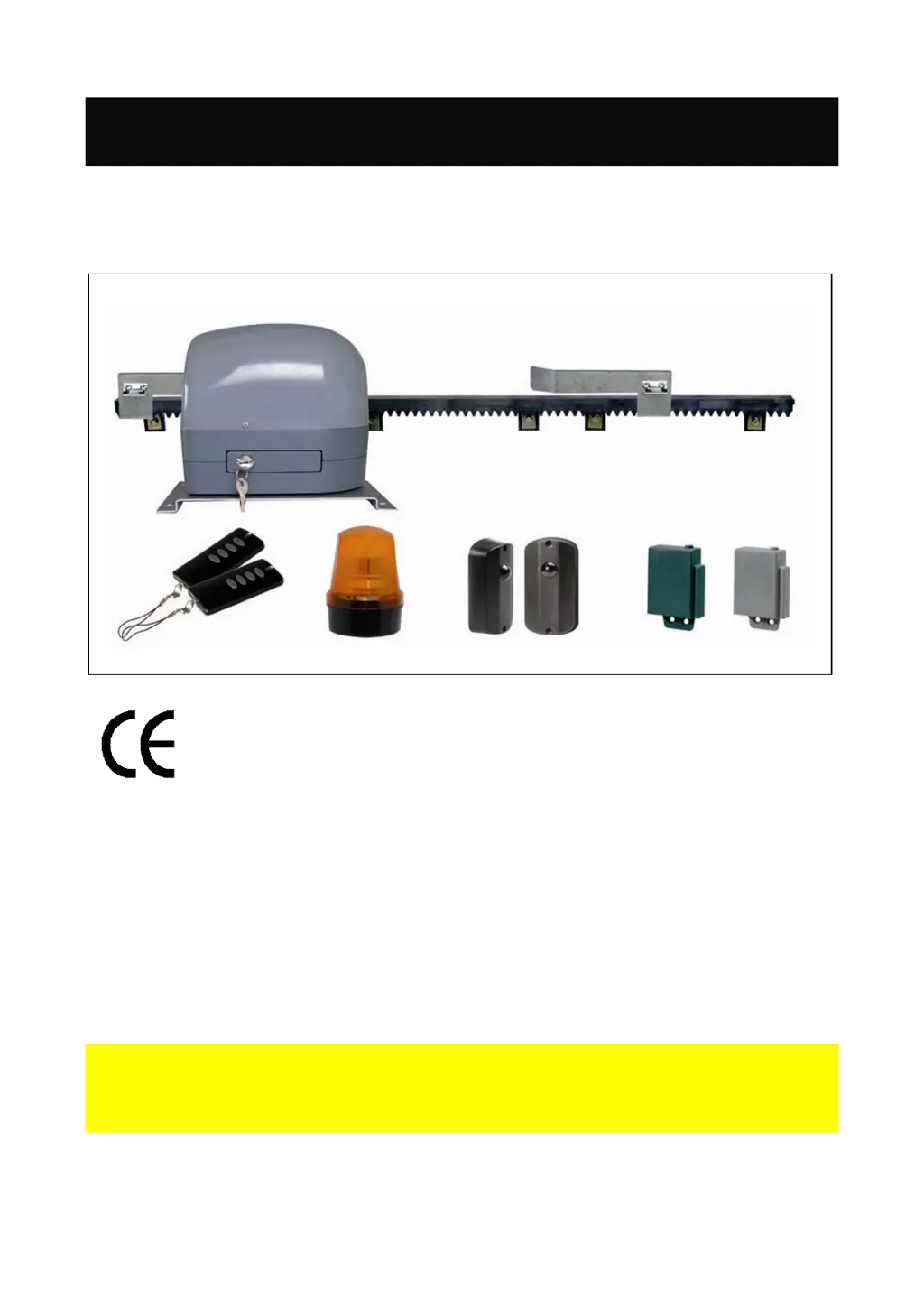
DRIVE KIT FOR
SLIDE GATES
WEAT C2N
This document is part of the kit and must always be kept with it.
Important: Read this manual in full and follow the safety instructions
BEFORE INSTALLING, USING or SERVICING this product.
EN 12–08 V1

Questions and Answers

  • D
    David NortonAug 14, 2025
    Why Avidsen Garage Door Opener does not react after a control?
    • B
      brownsheriAug 14, 2025
      If the Avidsen Garage Door Opener's automated system isn't responding after a control input, the issue might be radio interference. Ensure the control signal is normally open and a dry contact point.
  • P
    Paul PerezAug 17, 2025
    Why Avidsen Garage Door Opener gate will not close automatically?
    • C
      candersonAug 17, 2025
      The Avidsen Garage Door Opener gate might not close automatically if a pause time has been set.
  • S
    staceykeyAug 20, 2025
    What to do if Avidsen Garage Door Opener does not open but closes?
    • A
      Alicia MartinezAug 21, 2025
      What to do if the Avidsen Garage Door Opener gate closes but doesn't open? Try releasing the motor, opening the gate halfway, and then re-locking it.
  • C
    Catherine NelsonAug 25, 2025
    What to do if Avidsen Garage Door Opener remote control does not work?
    • D
      David LindseyAug 25, 2025
      If nothing happens when you press the Avidsen Garage Door Opener remote and the red LED on the card doesn't light up, check for a shunt between COM and GND on the RX photo-electric cell.
  • J
    John SuttonAug 27, 2025
    How to fix inverted motor operation on Avidsen Garage Door Opener?
    • T
      travisblairAug 27, 2025
      If the Avidsen Garage Door Opener motor operation is inverted, invert the red and black cables on the motor.
  • T
    tiffanyjohnsonAug 30, 2025
    What to do if Avidsen Garage Door Opener photo-electric cells react only on opening?
    • M
      Matthew RamseyAug 31, 2025
      If the Avidsen Garage Door Opener photo-electric cells react on opening but not on closing, the control signal is a dry contact normally open. Disconnect this control to ensure the problem doesn't originate there.
  • L
    Lisa FlowersSep 3, 2025
    What to do if Avidsen Garage Door Opener opens by a few cms?
    • M
      Mark MorrisonSep 3, 2025
      If the Avidsen Garage Door Opener gate only opens by a few centimeters, perform a test (P1/SET for 1s or 2s) to see if the green lid lights up.
  • J
    John CoxSep 6, 2025
    How to fix Avidsen Garage Door Opener motor not starting on closing?
    • M
      Margaret OlsenSep 7, 2025
      If the Avidsen Garage Door Opener motor doesn't start on closing after simulating the arrival of the closing cycle, invert the brown and black cables on the cycle end.
  • T
    Terry HernandezSep 10, 2025
    What to do if Avidsen Garage Door Opener solution does not work properly?
    • L
      Lori SextonSep 10, 2025
      If a solution isn't working properly with your Avidsen Garage Door Opener, you can stop the program at any time by pressing reset.

Summary

“Electrical” connection of your automatic system

1. GENERAL SAFETY INSTRUCTIONS

a - WARNING

General warnings and manufacturer responsibilities regarding installation and usage.

b - CORRECT PRODUCT SELECTION

Guidance on choosing the correct gate automation kit for the specific gate.

c - CHECK THE CONDITION OF YOUR GATE

Ensuring the existing gate is in good condition for automation.

d - RECOMMENDATONS FOR INSTALLING YOUR AUTOMATED SYSTEM

Recommendations for safe and correct installation of the automated system.

e ELECTRICAL CONNECTION AND INSTALLATION

Details on electrical connections and installation standards for compliance.

f - PROTECT THE ENVIRONMENT

Guidelines for disposing of packaging materials responsibly.

g - USERS GUIDE

Instructions for safe operation and general use of the automated system by users.

h - MAINTENANCE

1. KIT CONTENTS

2 COMPLETE INSTALLATION

Installing the rack and limit cams

Instructions for fitting the rack and limit cams to the gate.

3 SPECIFICATIONS

4. DIMENSIONS

5. TYPICAL CONNECTION

6. GATE CHECK

7. LOCATION OF MOTOR

8. INSTALLATION

QUICK START-UP

A quick guide to setting up the automated system and learning its operational parameters.

9. ELECTRONIC CONTROL BOARD

Learn mode

Procedure to activate and run the system's automatic learning mode for gate operation.

Changing the settings

Adjusting trimmer settings for motor force, pause time, response time, and sensitivity.

10. RADIO CONTROLS

Programming the remote controls

Steps to program radio transmitters to the control board for operation.

Deleting the transmitter codes

Instructions for removing stored remote control codes from the system.

List of checks to be done for AT C2 N machine

Check electrical installation

Verifying the 230V power supply and connections for proper operation.

Check motor connection and lock

Ensuring the motor is correctly connected and mechanically locked for operation.

Scheduling working time

Verifying or setting the operational timing for gate cycles.

Check remote controls

Testing remote control functionality and signal reception.

Check photo-electric cells

Validating the alignment and function of photo-electric safety sensors.

Check the control by a interphone or push button

Verifying the operation of manual controls like interphones or push buttons.

12. Sensor bars (for safety) OPTIONAL

Avidsen WEAT C2N Specifications

General IconGeneral
TypeGarage Door Opener
Power Supply230V AC, 50Hz
Max Door Weight100 kg
Max Door Height2.5 m
Remote Control Frequency433.92 MHz
Operating Temperature-20°C to +50°C
Safety FeaturesObstacle detection
Power Consumption150 W
Power SourceMains-powered

Related product manuals