WEAT C2N – V1 - EN 10
Unlocking and locking the drive unit
Insert the appropriate key into the slot on the
device. Turn the key clockwise to release the
lever and pull out the lever as illustrated.
Spare parts:
Use original spare parts only.
Do not install the drive on inclined gates.
Make all connections with the electrical power supply turned off.
Connecting and turning on the unit
• Read the General Safety Instructions before installing the operator.
• Install a switch / isolating switch on the mains in accordance with current standards.
• Connect the power and control cables by following the requirements below:
The STOP button or switch connected must be equipped with a manual release. If you do not
wish to use it, bridge the STP input to ground (ground terminals are symbolised by ↓).
Make sure all the inputs on the terminal block are wired correctly and in proper working order
.
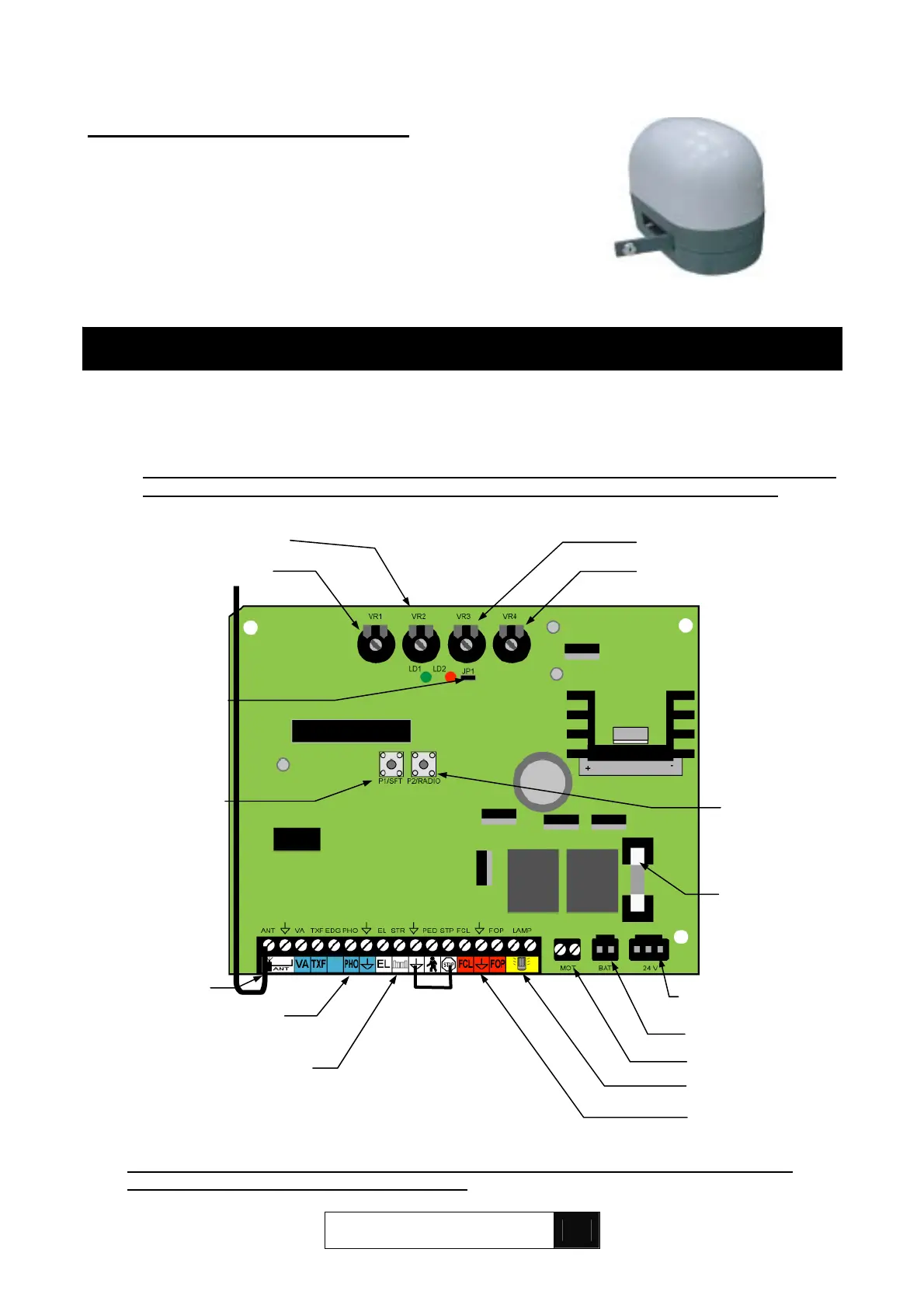
Motor force
Pedestrian control
Emergency stop
Auxiliary control
10 A fuse
Learn button
P2/RADIO
Battery pack
Motor
Obstacle detection
Learn button
P1/SET
Backu
transforme
Radio channel
selector switch
Photocells
Limit switches
Radio antenna
Beacon
The Off button or switch connected must be equipped with a manual release. If you do not
wish to use it, bridge the STP input to ground.
9. ELECTRONIC CONTROL BOARD
Pause time
Obstacle reaction time
FOR PAU OBS OVL


 To Next Page