WEAT C2N – V1 - EN 15
Programming the remote controls
• Press the "P2/RADIO" button until the red LED lights up showing that the programme has been
launched.
• Send the code by pressing on button A, B, C or D on the remote control (depending on the position of
jumper JP1).
• The code is stored in memory. The red LED will flash slowly during this time. When the operation is
complete, the LED will be lit steadily. A new code may then be stored.
• When storing the codes for all the transmitters, wait a maximum of 10 seconds between each.
• Once finished, press the P2/RADIO button again to exit. The LED shuts off. The board will automatically
exit this mode after 10 seconds of non-use.
• The codes remain stored in memory even if power to the electronic board is cut.
Deleting the transmitter codes
Keep the "P2/RADIO" button pressed down for about 6 seconds until the red LED starts to blink slowly
(about three seconds).
. Press the P2/RADIO button again within six seconds to confirm the deletion. The LED will start flashing
faster to indicate that the codes will be deleted.
WEATEM 4 transmitter
General information
The transmitter supplied sends a secure rolling code over a 433.92 MHz frequency.
It is powered by a CR 2032 battery (3V, supplied) and must be programmed.
Changing the battery:
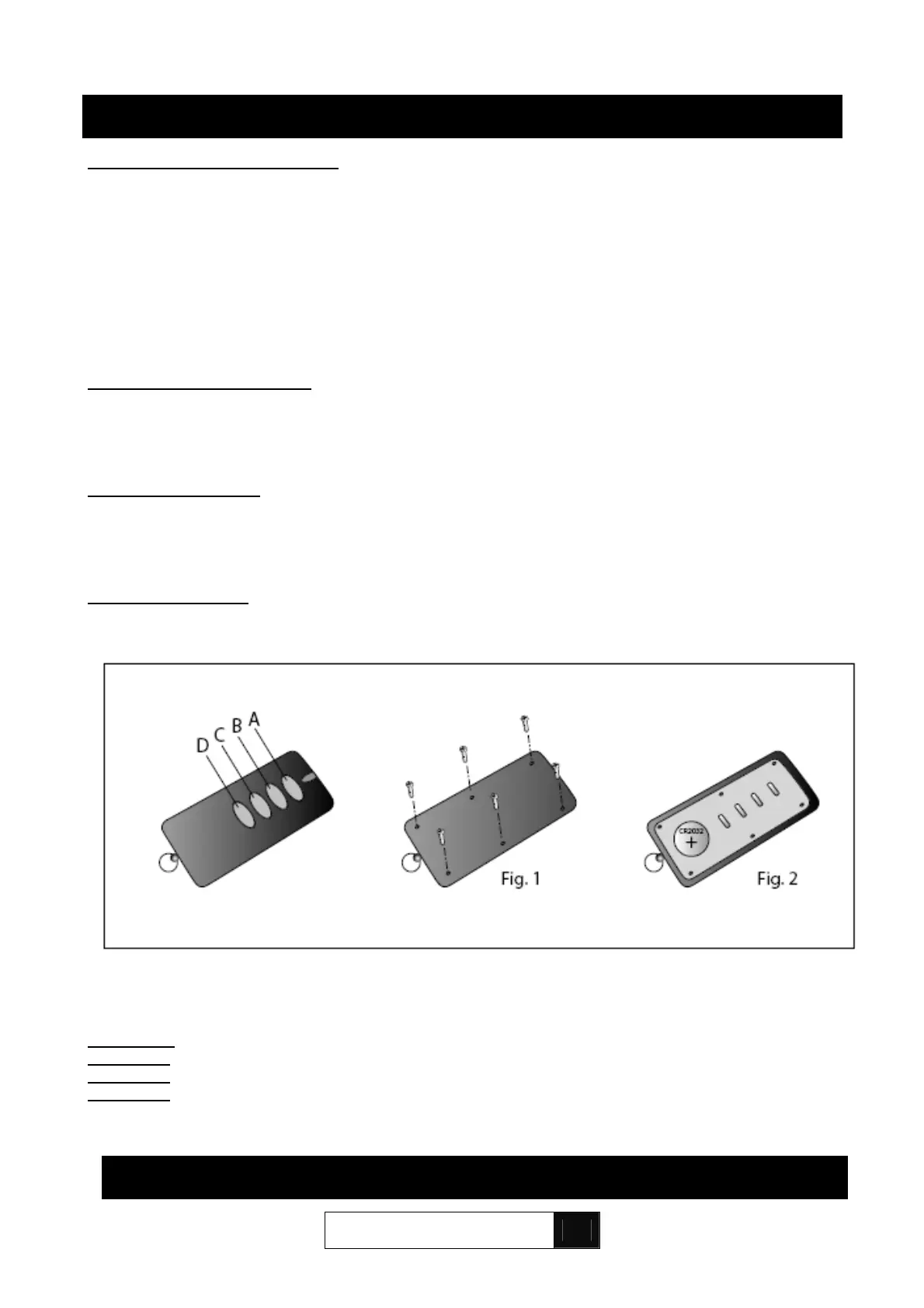
Open the battery cover on the back of the transmitter (Fig. 1).
Remove the battery and insert a new one by following the polarity marked (Fig. 2).
Chronological order of buttons:
Channel A:
FULL control (if JP1 removed from board)
Channel B: PARTIAL control, one leaf (if JP1 removed from board)
Channel C: FULL control (if JP1 on board)
Channel D: PARTIAL control, one leaf (if JP1 on board)
11. TROUBLESHOOTING GUIDE
10. RADIO CONTROLS


 To Next Page