Approach Procedures 4-5
automatically toggle the autopilot mode to NAV APPR
and GS will either arm or engage depending on your
position relative to the glide path.
If the FMS has determined that satellite coverage is insufficient
for use of GPS as the primary navigation source, a Caution is
provided. This may occur at any time during the approach and
requires that you execute a missed approach.
NON-WAAS GPS APPROACH (RNAV OR OVERLAY OR LNAV)
□ Ensure the Primary Nav LSK is set to FMS as the source
and a GPS or RNAV approach is loaded in the FMS900w
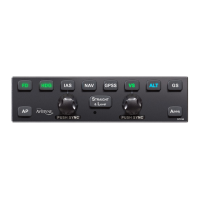
□ Press the “NAV” or “APPR” buttons on the autopilot
control panel
□ Note that the “NAV” and “APPR” buttons on the autopilot
control panel are lit in green
□ Note that “NAV APPR” is displayed in the PFD mode
annunciator section
□ Execute a missed approach, if appropriate
VOR APPROACH
□ Ensure the Primary Nav LSK is set to a VHF source
(NAV1 or NAV2) and tuned to a VOR and the VOR
approach is loaded in the FMS900w
□ Ensure the approach course is set in the Selected
Course window
□ Press “APPR” on the autopilot control panel, or “NAV”
and then “APPR” (VOR approaches are the only types of
approaches in which the “APPR” button must be
pressed.)
□ Note that both the “NAV” and “APPR” button on the
autopilot control panel are lit in green
□ Note that “VOR APPR” is displayed in the PFD mode
annunciator section
□ Execute a missed approach, if appropriate


 To Next Page